
Take back a change to the show, and know what undo never touches: what is live, and this Mac's preferences.
Take back an edit to the show, or bring it back again. Undo works on the show, the thing described in Shows and show files.
Before you start
Section titled “Before you start”- Undo covers every edit to the show: shots, elements and their effects, layers, sources, the transition, a layer setup put in, a script import, dismissed warnings.
- Undo never changes what is live. A Take, Fade to Black and the show clock are actions on air, not edits.
- This Mac’s preferences are not edits either: the look, the appearance, layer heights and the transition presets.
Step 1: Undo
Section titled “Step 1: Undo”Choose Edit › Undo or press ⌘Z. The menu item names what it takes back, for example Undo Move Element. Press again to go further back.
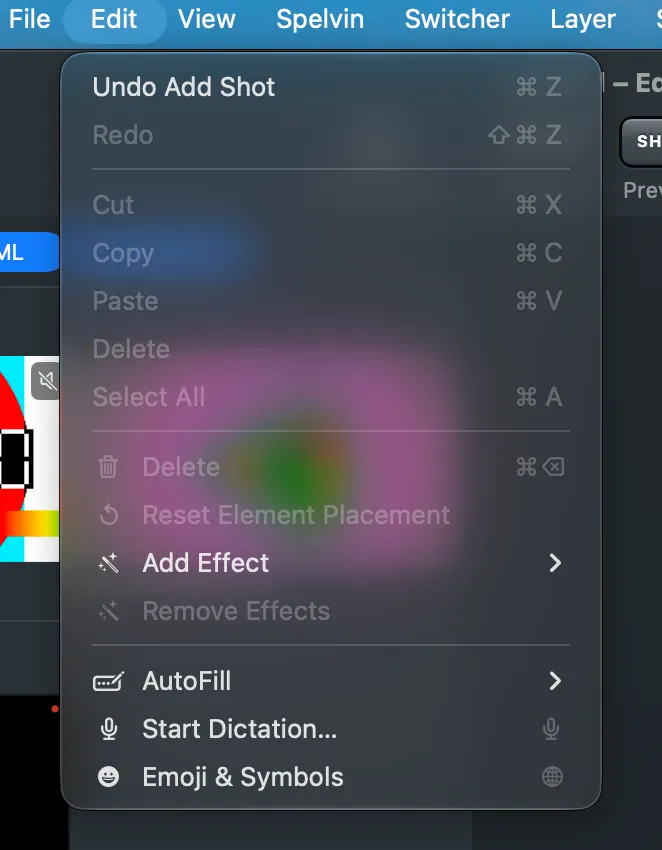
The show has one history for all its windows: ⌘Z in the Preview window, Audio Routing or the Showrunner undoes the last edit to the show, wherever you made it.
Step 2: Redo
Section titled “Step 2: Redo”Choose Edit › Redo or press ⇧⌘Z to bring back what you undid.
Step 3: Send the result to the program
Section titled “Step 3: Send the result to the program”An undo that touches a live shot changes the preview only, as every edit does. The tile says EDITED; press Take to send the version you want to the program.
Verify
Section titled “Verify”- The change is gone from the preview and the inspector.
- The program shows what it showed before, until you take.
Related
Section titled “Related”Describes Live Producer 0.305 · 29 October 2026