
The program recording and the cameras' own (ISO) recordings: frame rates, segments, where the files go.
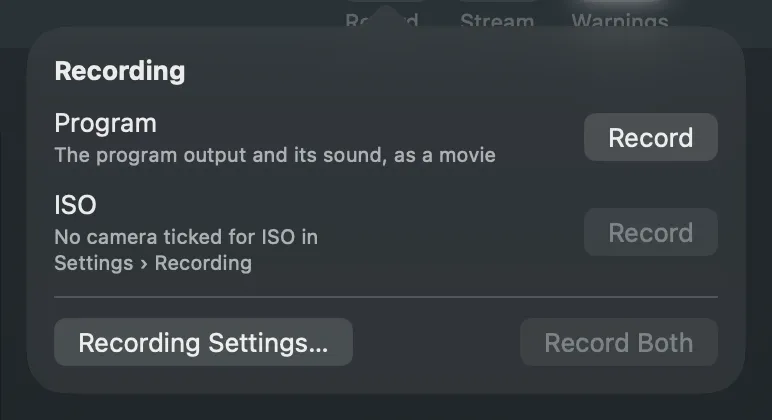
Live Producer Studio keeps two kinds of recording. The program recording is what goes out, as one movie. The ISO recording keeps chosen cameras each on their own, every frame, for replays and slow motion. One Record button in the toolbar starts either or both.
The program recording
Section titled “The program recording”The program picture and its sound, in H.264 in a QuickTime movie, at the bit rate you set (4 to 40 Mb/s). The movie is written in fragments, so it stays playable if the app quits unexpectedly.
The ISO recording
Section titled “The ISO recording”Each ticked camera is recorded on its own, at its full rate. A camera’s files are closed segments of two seconds with an index, so a replay can read them while recording goes on and a crash loses two seconds at most. Keep can limit how far back the files reach: older segments are deleted as the recording goes on. HEVC makes smaller files than H.264 and lets the Mac record more cameras.
Which cameras record, and the rate they run at, are saved with the show. Where the files go, how much is kept, the codec and the bit rate are this Mac’s.
Frame rates
Section titled “Frame rates”The mains sets the frame rate, not taste: lights flicker at twice the mains frequency. Use 29.97 or 59.94 where the mains is 60 Hz (the Americas, Japan, Korea), and 25 or 50 elsewhere. 24 gives a film look, but flickers under mains lighting. Cameras should run at the program’s rate or at twice it.
For slow motion, cameras run faster than the program while they record ISO: twice the program’s rate for a 24 to 30 program, and the program’s own rate from 50 up. Half speed then shows every recorded frame once.
Where the files go
Section titled “Where the files go”A show with a show folder records into it: the program into Program Recordings, the cameras into ISO Recordings. A show without a show folder, or one whose folder is in iCloud Drive, records into a folder named after the show in the folder set on the Recording page. iCloud would otherwise upload every gigabyte.
Starting and stopping
Section titled “Starting and stopping”Starting is one click. Stopping always passes through the Record popover, so you see what stops before it stops; Return never stops a recording. The toolbar’s Record turns red with the time while anything records, “ISO” and the time while only the cameras do.
Read more
Section titled “Read more”Describes Live Producer 0.305 · 29 October 2026