
Start from the example skill, describe your own scripts, and try the skill on a real script before a show uses it. To read what a skill is, see Skills.
Before you start
Section titled “Before you start”- You are an admin or a showrunner.
- You have a real script of the kind of show the skill is for.
Step 1: Start from the example
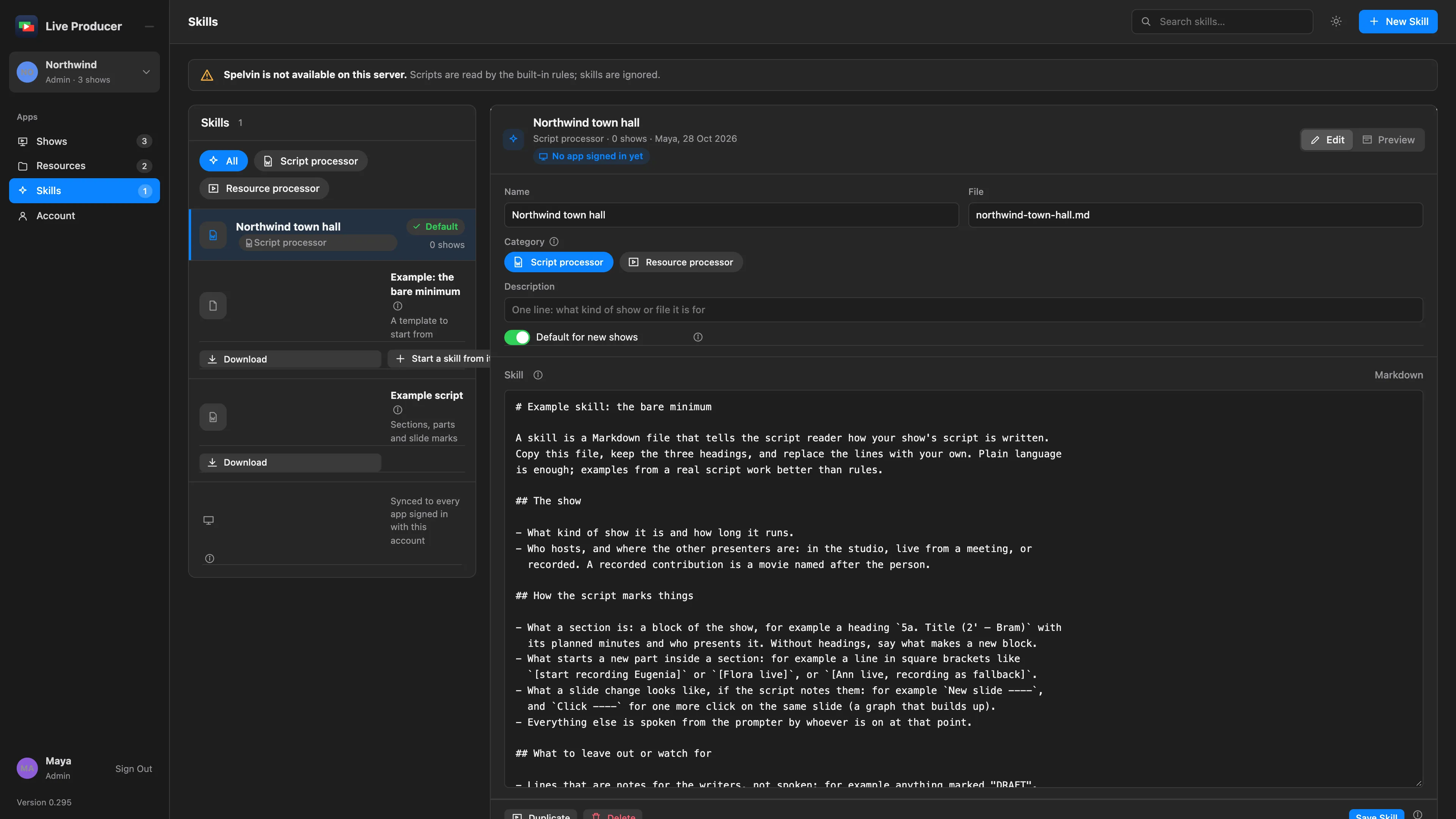
Section titled “Step 1: Start from the example”Click Skills in the rail. Under Example: the bare minimum, click Start a skill from it. A new skill opens with the example’s three headings.
To start empty instead, click New Skill, give it a Name, choose Script processor and click Create Skill.
Step 2: Name and describe it
Section titled “Step 2: Name and describe it”In the skill’s panel, set:
| Field | Holds |
|---|---|
| Name | What the team calls it, for example the show’s name. |
| Category | Script processor, to be offered when a script is imported. |
| Description | One line: what kind of show or file it is for. |
| Default for new shows | On to preselect it in New Show. |
Step 3: Write the Markdown
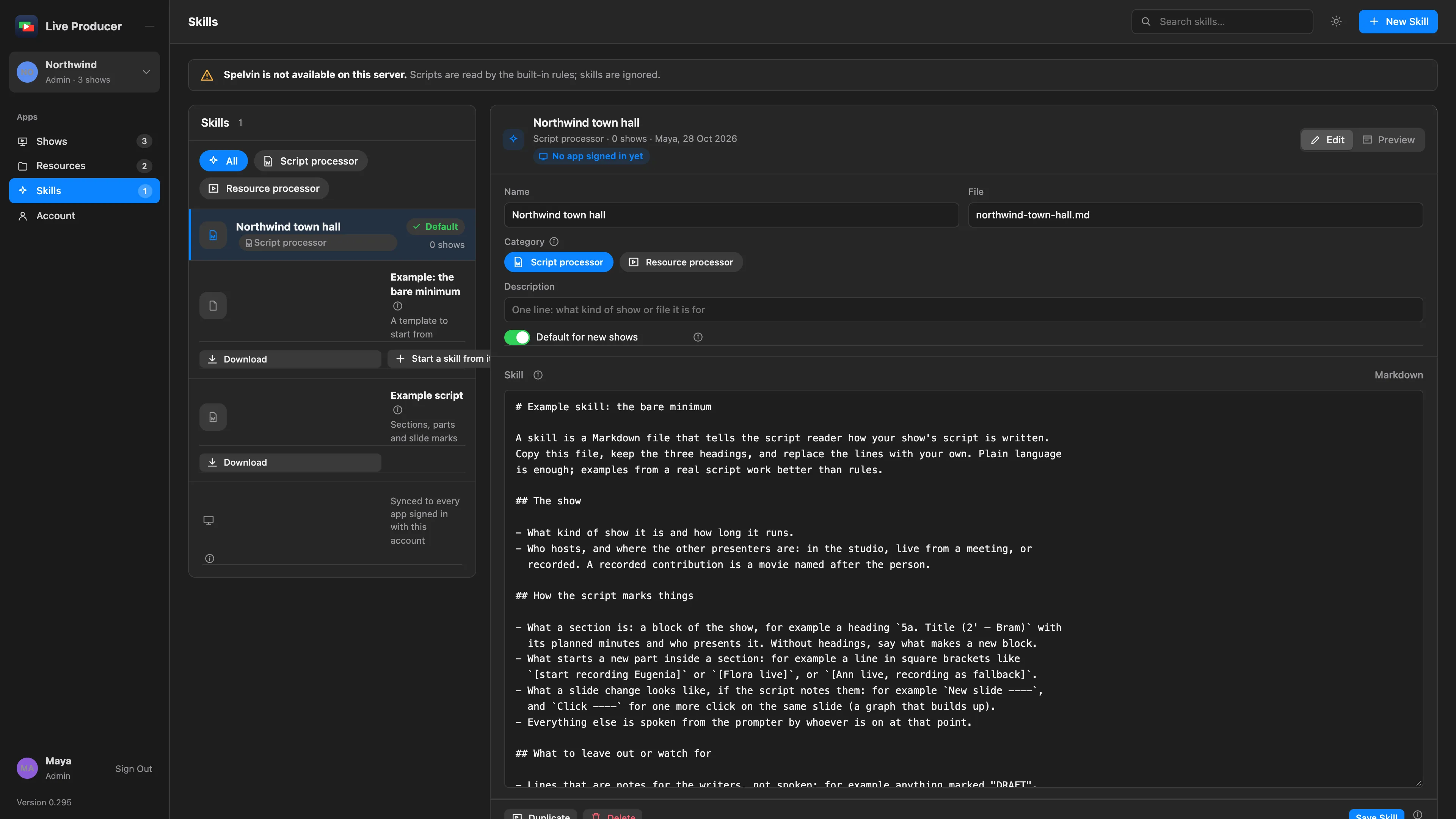
Section titled “Step 3: Write the Markdown”In Skill, keep the three headings and replace the lines under them:
- The show: what kind of show, how long, who hosts, where the presenters are.
- How the script marks things: what starts a section, what starts a part, what a slide change looks like. Paste a few lines of a real script and say what each one means.
- What to leave out or watch for: notes for the writers, names that are not people.
Spelvin follows examples better than rules. Preview shows the Markdown formatted.
Step 4: Save it
Section titled “Step 4: Save it”Click Save Skill. Shows that use the skill read their next import with the saved version.
Step 5: Try it
Section titled “Step 5: Try it”Under Try it, click Read a test script with this skill… and choose a script. The sections and parts Spelvin makes appear below, without creating a show. Change the skill, save it and try again until the result is right.
Verify
Section titled “Verify”- In New Show, Process input with skill offers the skill, with (default) if you made it the default.
- In the Studio, Settings › This Mac › Skills lists it after the next sync. Sync Now fetches it at once.
Related
Section titled “Related”Describes Live Producer 0.305 · 29 October 2026