
Add one HTML page as a lower third and make a shot per speaker, each with its own name and title. See HTML templates.
Before you start
Section titled “Before you start”- Have an HTML page with its variables marked with
data-vs-var. Spelvin can build one with Spelvin › New Lower Third…; see Build a lower third. - Open the show in the Studio.
Step 1: Add the page
Section titled “Step 1: Add the page”Click Add Source at the bottom of the sidebar and choose Local HTML File…. Choose the page. It appears in the HTML group.

Step 2: Check its variables
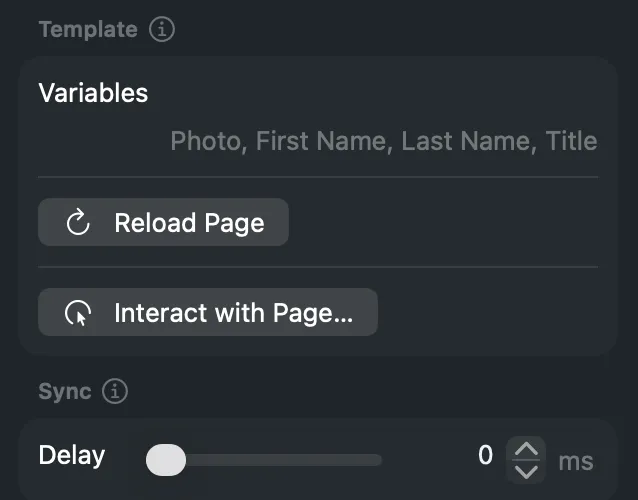
Section titled “Step 2: Check its variables”Select the page in the sidebar. The inspector’s Template section lists its Variables. If
the list says None, the page has no data-vs-var tags.
Step 3: Make a shot per speaker
Section titled “Step 3: Make a shot per speaker”Drag the page’s tile onto the front layer, once per speaker. Give each shot the speaker’s name.
Step 4: Fill in the fields
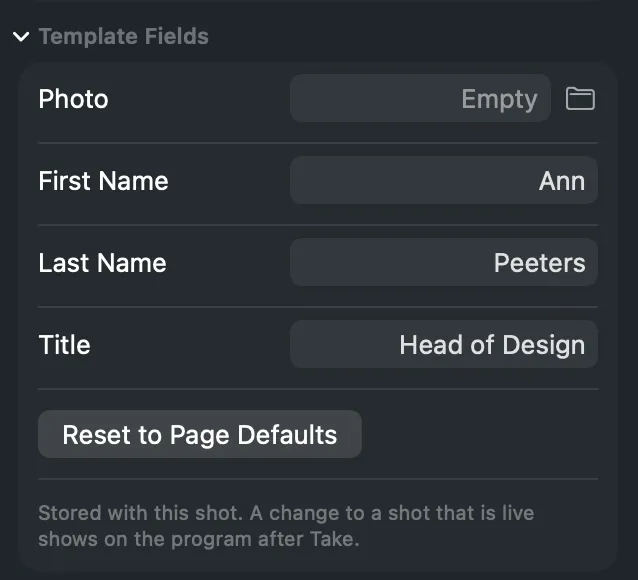
Section titled “Step 4: Fill in the fields”Select a shot. Under Template Fields in the inspector, type the values. For a picture variable, click the folder button to choose a file. Leave a field empty to keep the page’s default.
Repeat for each shot.
Step 5: Preview it
Section titled “Step 5: Preview it”Click the shot. The preview shows the lower third with its values over the layers behind it.
Verify
Section titled “Verify”- Each shot’s tile shows its own values.
- Take a shot: the lower third plays its entrance on the program.
After you edit the HTML file, choose Reload Page in the source’s inspector or context menu to load it again.
Related
Section titled “Related”Describes Live Producer 0.305 · 29 October 2026