
Record the program, picture and sound, as a movie while you switch. See Recording.
Before you start
Section titled “Before you start”- Check the disk has room: at 20 Mb/s an hour is about 9 GB.
- Save the show in a show folder so the recording lands beside it. File › Make a Show Folder… makes one for a show that has none.
Step 1: Check the settings
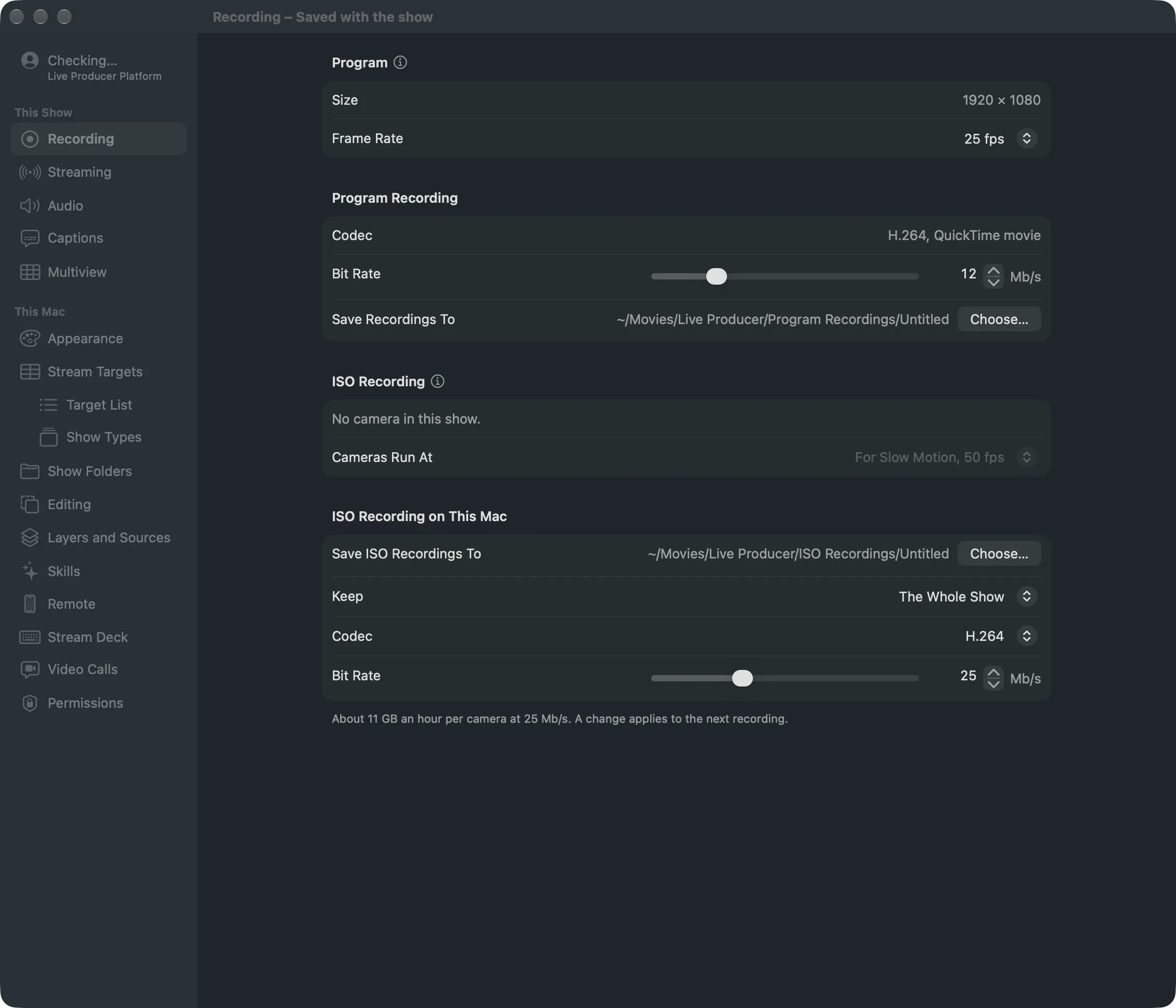
Section titled “Step 1: Check the settings”Open Settings › This Show › Recording. Under Program Recording, set Bit Rate and check Save Recordings To. Without a show folder, click Choose… to pick the folder; the show gets a folder of its own inside it.
Step 2: Start recording
Section titled “Step 2: Start recording”Choose Switcher › Start Recording (⇧⌘R). Or click Record in the toolbar, then Record in the Program row. The toolbar button turns red and counts: “Recording 0:12”.
Step 3: Stop recording
Section titled “Step 3: Stop recording”Click Record in the toolbar, then Stop in the Program row. Switcher › Stop Recording… (⇧⌘R) opens the same popover. Return never stops a recording.
Step 4: Find the file
Section titled “Step 4: Find the file”Choose File › Show the Show Folder in Finder and open Program Recordings. Without a show folder, the path is on the Recording settings page.
Verify
Section titled “Verify”Open the movie in QuickTime Player. It plays from the moment you started to the stop, with the program’s sound.
Related
Section titled “Related”Describes Live Producer 0.305 · 29 October 2026