
The phone remote is a web page the Studio serves to a phone on the same network. It needs no app. The Studio’s token makes sure only the devices you gave the code can use it.
What the remote does
Section titled “What the remote does”- Shows the program picture.
- Shows where the show is in its script: on air and next, the clock, behind or ahead, with Start Show and the deck’s back and forward arrows.
- Shows each layer’s shots as cards. Tap a card to put it in preview, double-tap to take it live. A layer’s Clear card takes the layer to nothing the same way.
- Has Record, Stream, Next Part, FTB (Fade to Black) and Take in a bar at the bottom. Stopping a recording or a stream asks first.
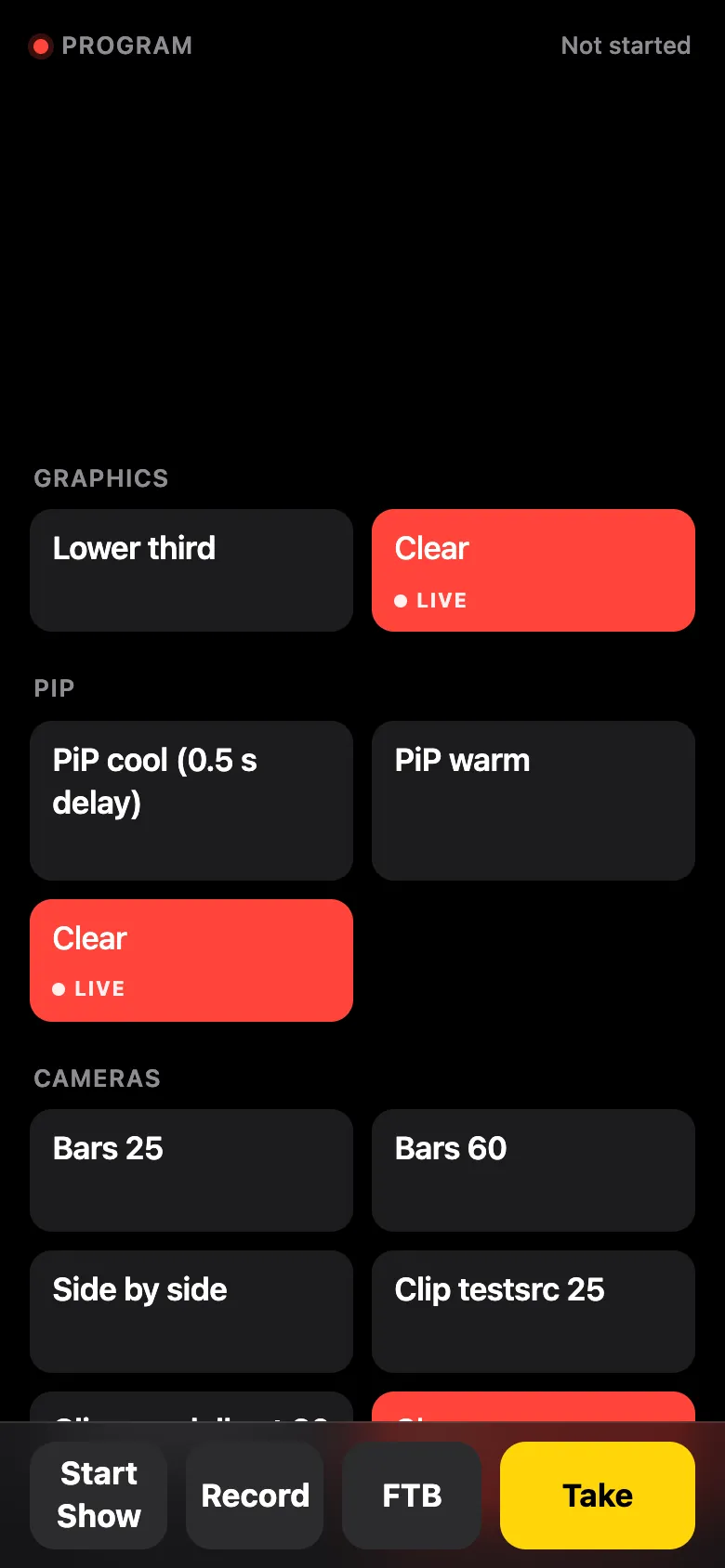
It follows the phone’s light or dark appearance.
Reaching it
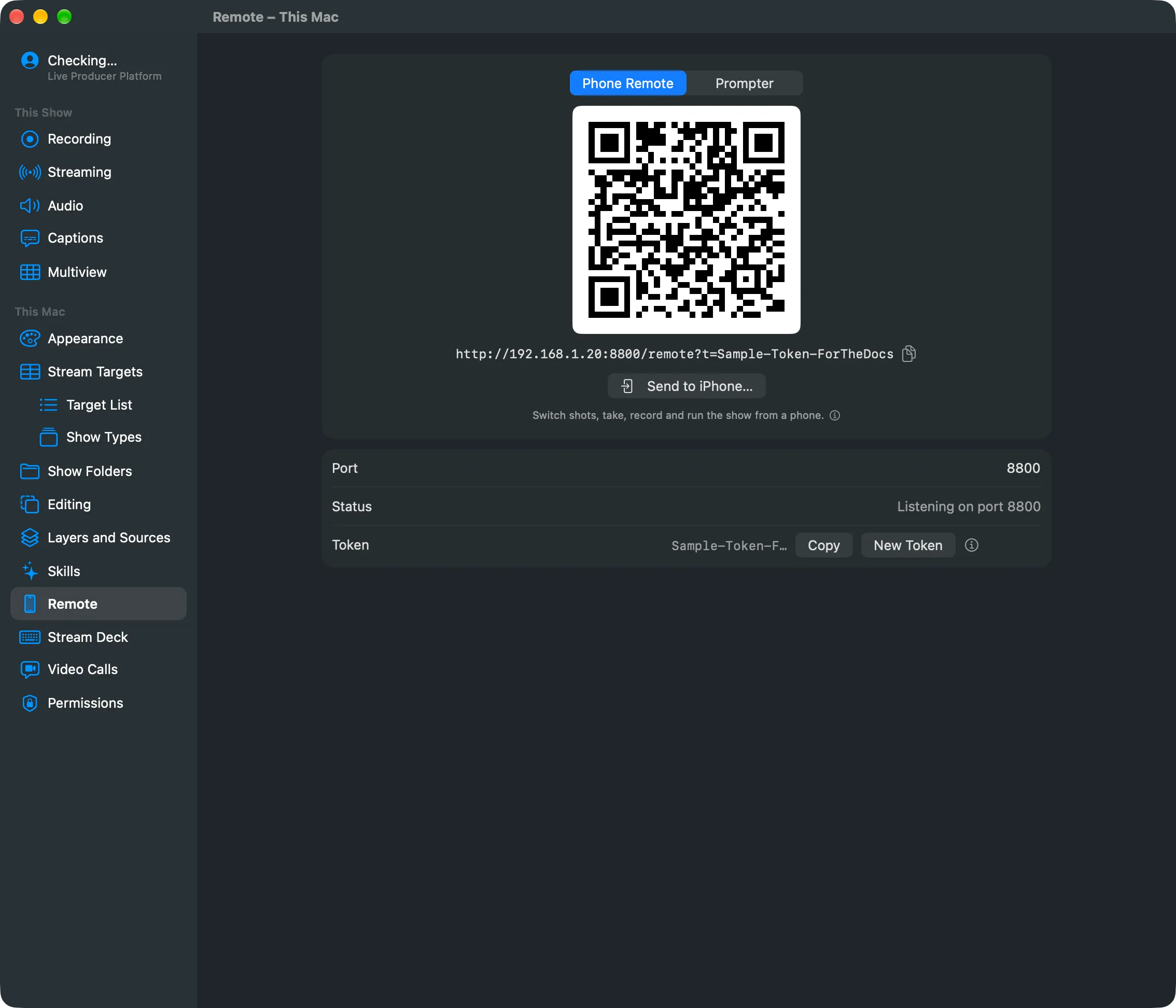
Section titled “Reaching it”The Studio listens on a port, 8800 unless you change it in Settings › This Mac › Remote.
The remote is at /remote on that port, the prompter at /prompter. You rarely type them: the
Remote button in the toolbar, Window › Phone Remote Code (⌥⌘R) and Window › Prompter
Code show each as a QR code to scan, with Send to iPhone… to send it with AirDrop. The
phone must be on the same network as this Mac.
The token
Section titled “The token”Without a token, anyone on the network could switch and stream. So every device other than this Mac must show the token:
- The QR code and Send to iPhone carry it in the address (
?t=…). A phone keeps it once it has opened the page, so a bookmark keeps working. - A controller on another machine sends it as the
X-Live-Producer-Tokenheader, or adds?t=<token>to each address. - Programs on this Mac itself need none.
A device without it gets a page that says to scan the code again.
A new token
Section titled “A new token”Settings › This Mac › Remote shows the token with Copy and New Token. A new token shuts out every phone and controller with the old one, until it scans the new code. Use it when a device you no longer trust has the old one.
Read more
Section titled “Read more”Describes Live Producer 0.305 · 29 October 2026