
Invite members to the company and give them roles, or make someone the editor of a section.
Bring people into the company with a role, or let one person edit one section of a show. To read what each role can do, see Companies, people and roles.
Before you start
Section titled “Before you start”- To invite members and change roles, you are an admin.
- To assign a section’s editors, you are an admin or a showrunner, and the show exists.
- You have the person’s email address.
Step 1: Invite a member
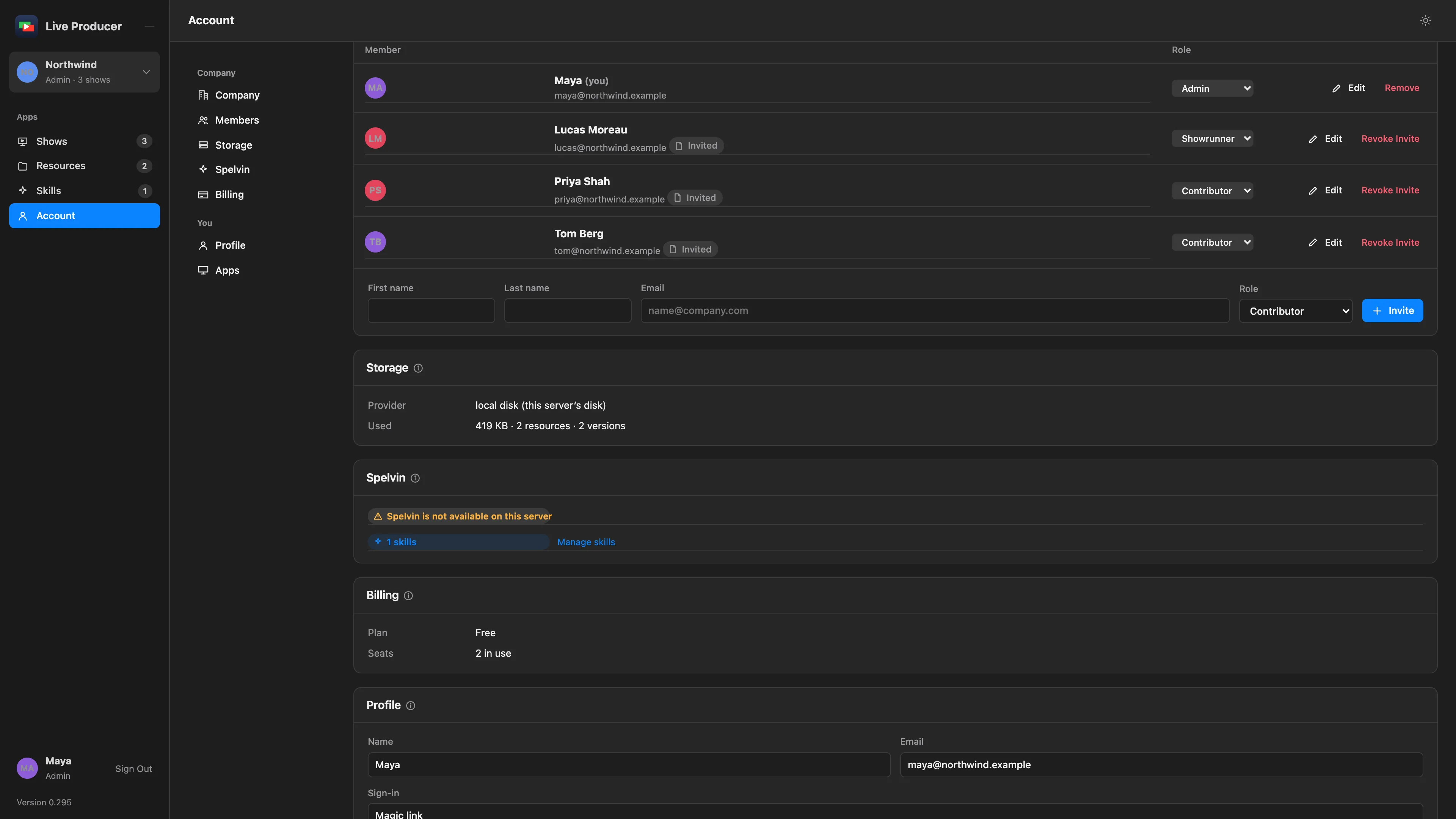
Section titled “Step 1: Invite a member”Open Account in the rail and go to Members. In the line at the bottom, fill in:
| Field | Holds |
|---|---|
| First name, Last name | The name the company uses for them. |
| The address they sign in with. | |
| Role | Admin, Showrunner or Contributor. Contributor is preselected. |
Click Invite. They get a mail with a sign-in link. Until they sign in, their row has an Invited chip.
Step 2: Change a role or a name
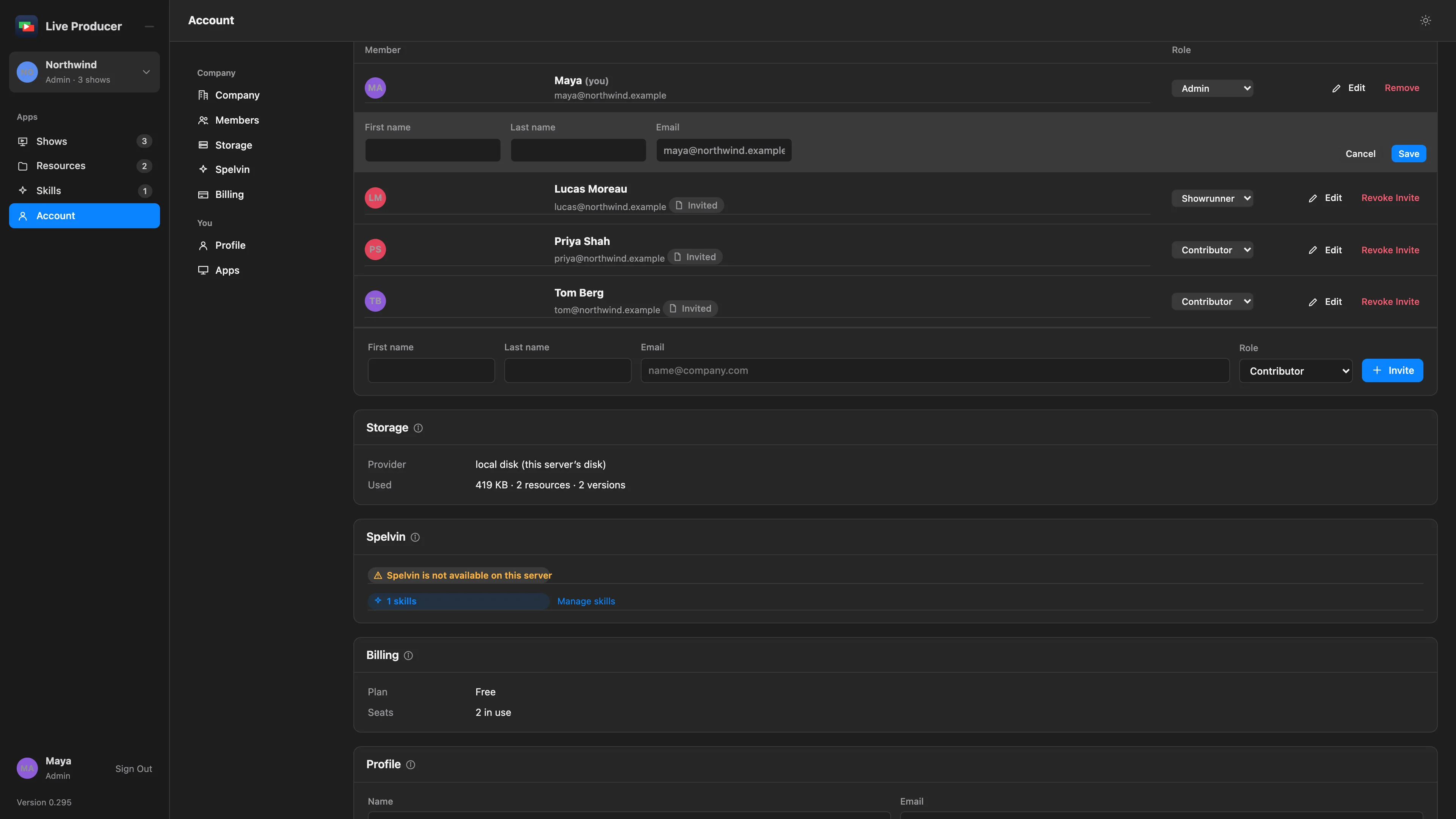
Section titled “Step 2: Change a role or a name”To change a role, pick another one in the member’s row. To change a name, click Edit, change it and click Save. While an invitation is pending you can also change its email; the mail goes out again.
Step 3: Make someone a section’s editor
Section titled “Step 3: Make someone a section’s editor”Open the show and select the section on the Rundown tab. In the Edits row on its card:
- Click Assign with a person’s name to assign a member the section’s presenters name, or
- pick someone under Member… and click Assign, or
- type an email under or invite by email and click Assign. Someone not in the company yet joins as a contributor and gets a mail with the way to this section.
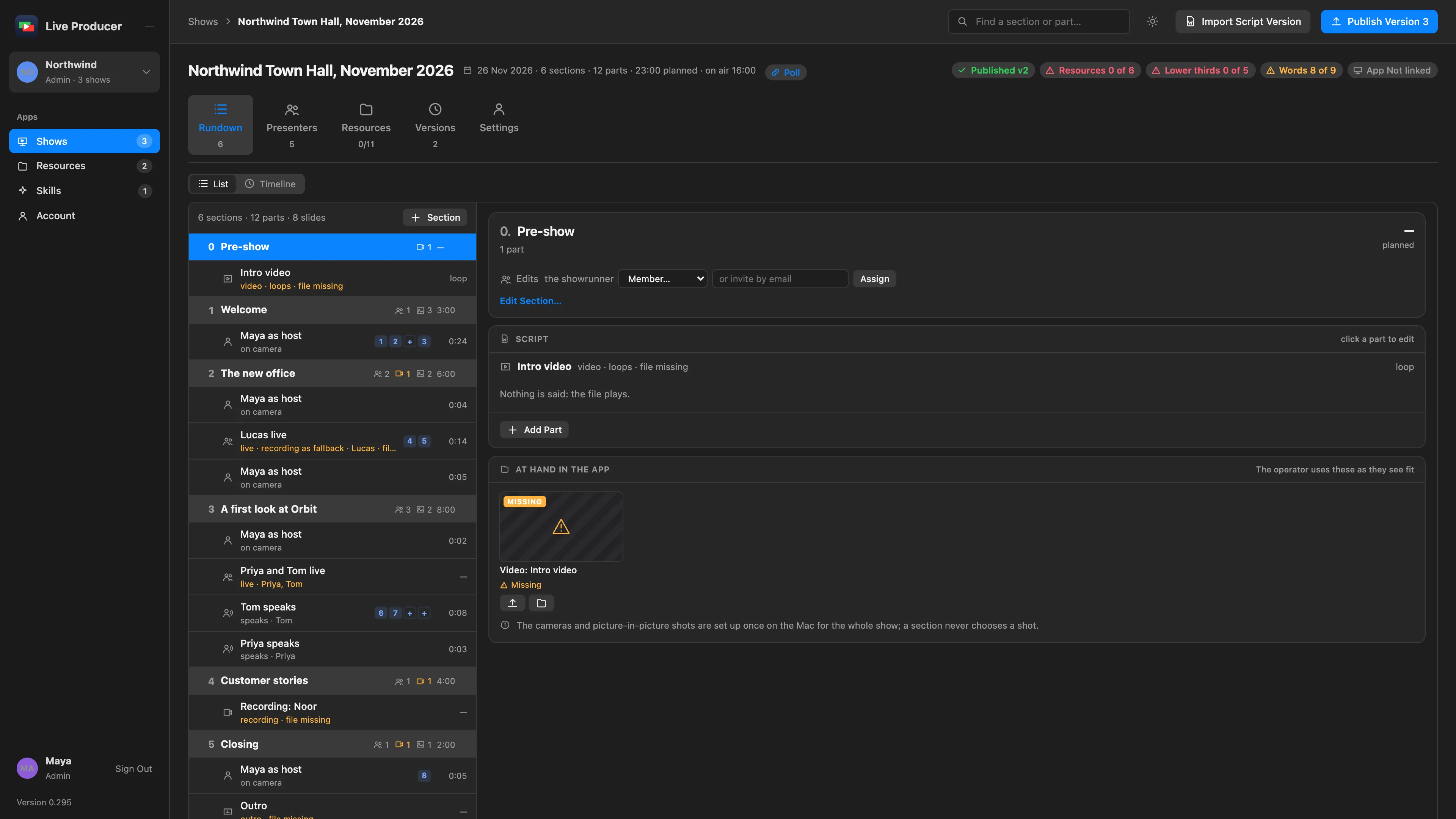
To take someone off the section, click × on their chip.
Step 4: Revoke or remove
Section titled “Step 4: Revoke or remove”In Account › Members, Revoke Invite cancels an invitation that is still pending, and Remove takes a member out of the company. Both ask first. A company always keeps at least one admin.
Verify
Section titled “Verify”- The person is in Members with the right role, with Invited until they sign in.
- A section editor’s chip is in the section’s Edits row.
Related
Section titled “Related”Describes Live Producer 0.305 · 29 October 2026