
Open the documentation from the Studio: the whole site from the Help menu, or the page about one pane from its help button.
The Studio opens this documentation in your browser, at the home page or at the page about the thing in front of you. Why the app works this way is in Help in the app.
Before you start
Section titled “Before you start”- The pages are on the web, so the Mac needs an internet connection.
- Which documentation opens follows Settings › Account › Platform; you do not need to sign in.
Step 1: Open the documentation
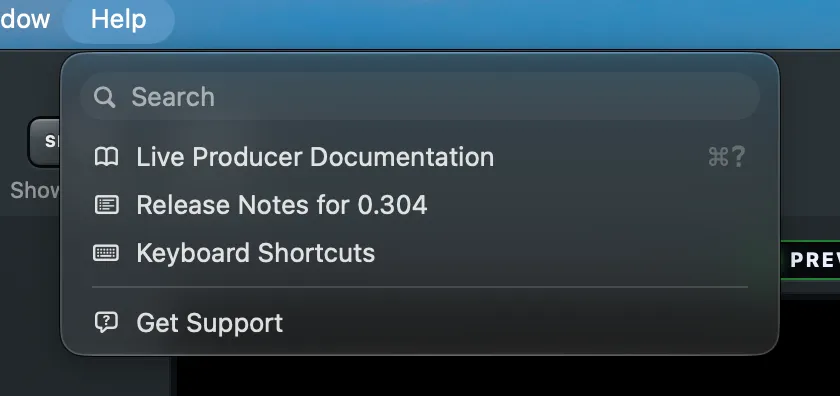
Section titled “Step 1: Open the documentation”Choose Help › Live Producer Documentation, or press ⌘?. The home page opens in your browser.
Step 2: Read about one pane
Section titled “Step 2: Read about one pane”Where a section title or a row has a small ⓘ beside it, click it. The page that explains that section opens. Hold the pointer over it first to see which page it is.
Step 3: See what changed
Section titled “Step 3: See what changed”Choose Help › Release Notes for version to read what is new in the version you are running.
Verify
Section titled “Verify”The browser shows a page of the Live Producer documentation, with the version you are running at the bottom of the page.
See also
Section titled “See also”Describes Live Producer 0.305 · 29 October 2026