
What counts as a Spelvin action, the weekly allowance, and what Spelvin cannot do.
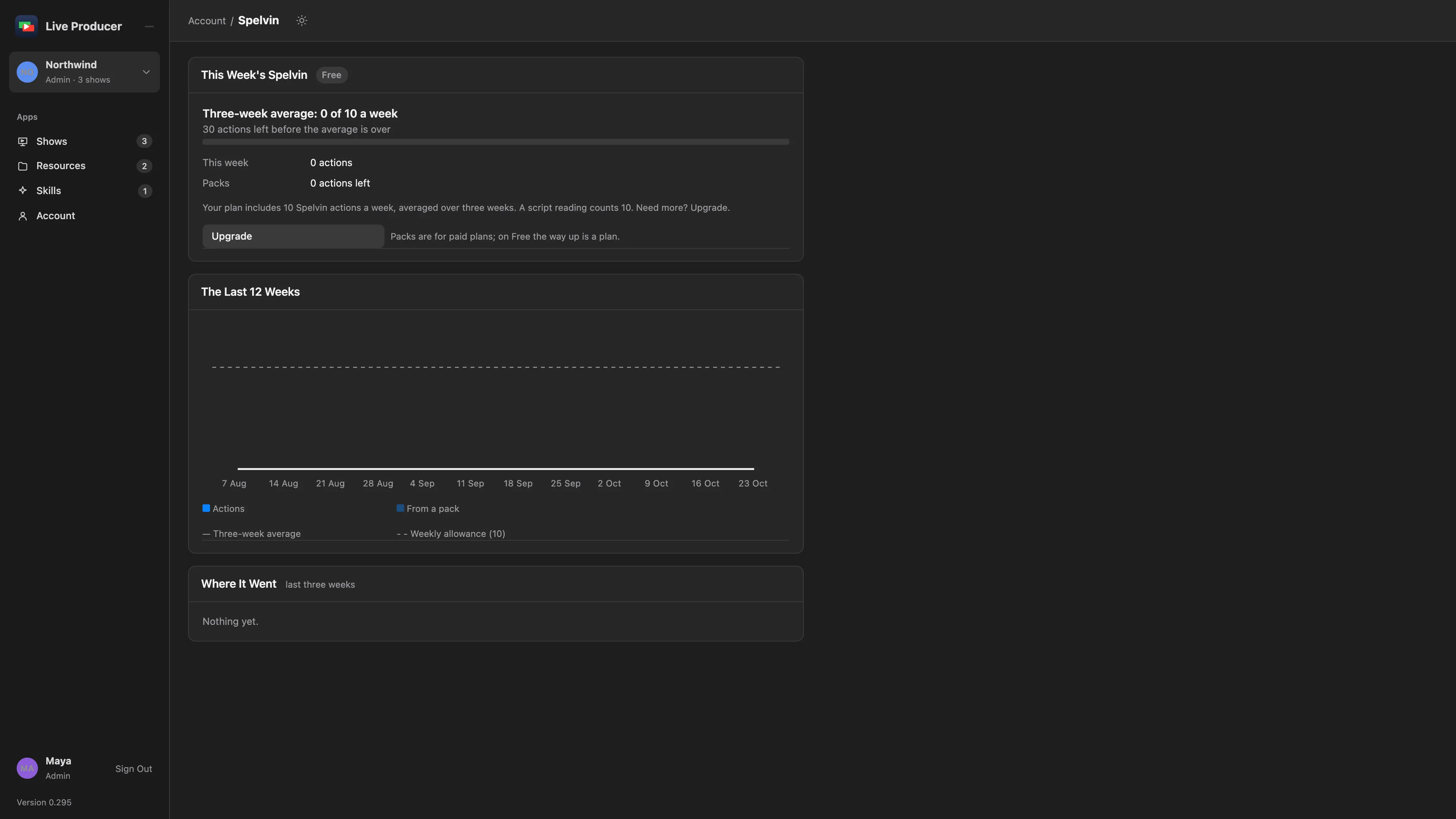
Spelvin’s work is counted in actions. Your company’s plan includes a number of actions a week, averaged over three weeks. Above that, Spelvin rests until the average drops.
What counts
Section titled “What counts”| What | Actions |
|---|---|
| A script reading | 10 |
| A chat message | 1, however much Spelvin reads to answer it |
| A prompt in the Lower Third Builder or the transition builder | 1 |
| A Crop To | 1 |
| A suggested setup | 1 |
A try that fails costs nothing. Live captions are not a Spelvin task and count nothing.
The allowance
Section titled “The allowance”The actions of the last three weeks, divided by three, must stay at or below your plan’s weekly allowance. A busy week fits when the weeks before were quiet. The rail’s Spelvin entry shows the average; it says Resting while you are over it. See Plans and billing.
When Spelvin rests
Section titled “When Spelvin rests”Over the allowance, Spelvin rests. Script readings use the built-in rules meanwhile, and the chat stops. Spelvin comes back by itself as older days leave the three weeks. Upgrade and Buy a Pack show where they apply. Packs are used only while you are over the allowance, and they never expire. Nothing on air is affected.
Seeing the usage
Section titled “Seeing the usage”- On the web: Spelvin in the rail, or Account › Spelvin › View Usage. The page shows this week’s meter, the last 12 weeks, where the actions went per task and per person, and your packs.
- In the Studio: Settings › Account shows the meter with the actions left. The Spelvin window’s toolbar shows how many are left; click it for the usage on the web.
Limits per request
Section titled “Limits per request”| Request | Limit |
|---|---|
| A script | At most 400,000 characters |
| A chat message | At most 4,000 characters |
| A lower third or transition prompt | At most 4,000 characters |
| What to crop to | At most 1,000 characters |
| Requests at once | 3 per person |
Who can use it
Section titled “Who can use it”Admins and showrunners. Contributors don’t use Spelvin. In the Studio, Spelvin needs you to be signed in with a Live Producer account.
What Spelvin cannot do
Section titled “What Spelvin cannot do”There is no way for Spelvin to:
- take, go live, cue, preview, run the rundown, move the prompter or the slide deck, record or stream;
- publish a version, send changes to a Mac, pull, link or unlink a show;
- delete a show, a part, a file or a source;
- crop a picture by itself: a crop it finds is a proposal you take;
- upload, download, replace or link a file;
- change members, roles, plans, billing or settings;
- read another company’s shows or files.
Read more
Section titled “Read more”Describes Live Producer 0.305 · 29 October 2026