
Settings › This Show › Recording: frame rate, the program recording, cameras recorded on their own.
Open Settings › This Show › Recording (⌘, then Recording under This Show). The page has four groups. The first three are saved with the show; the last one is kept on this Mac.
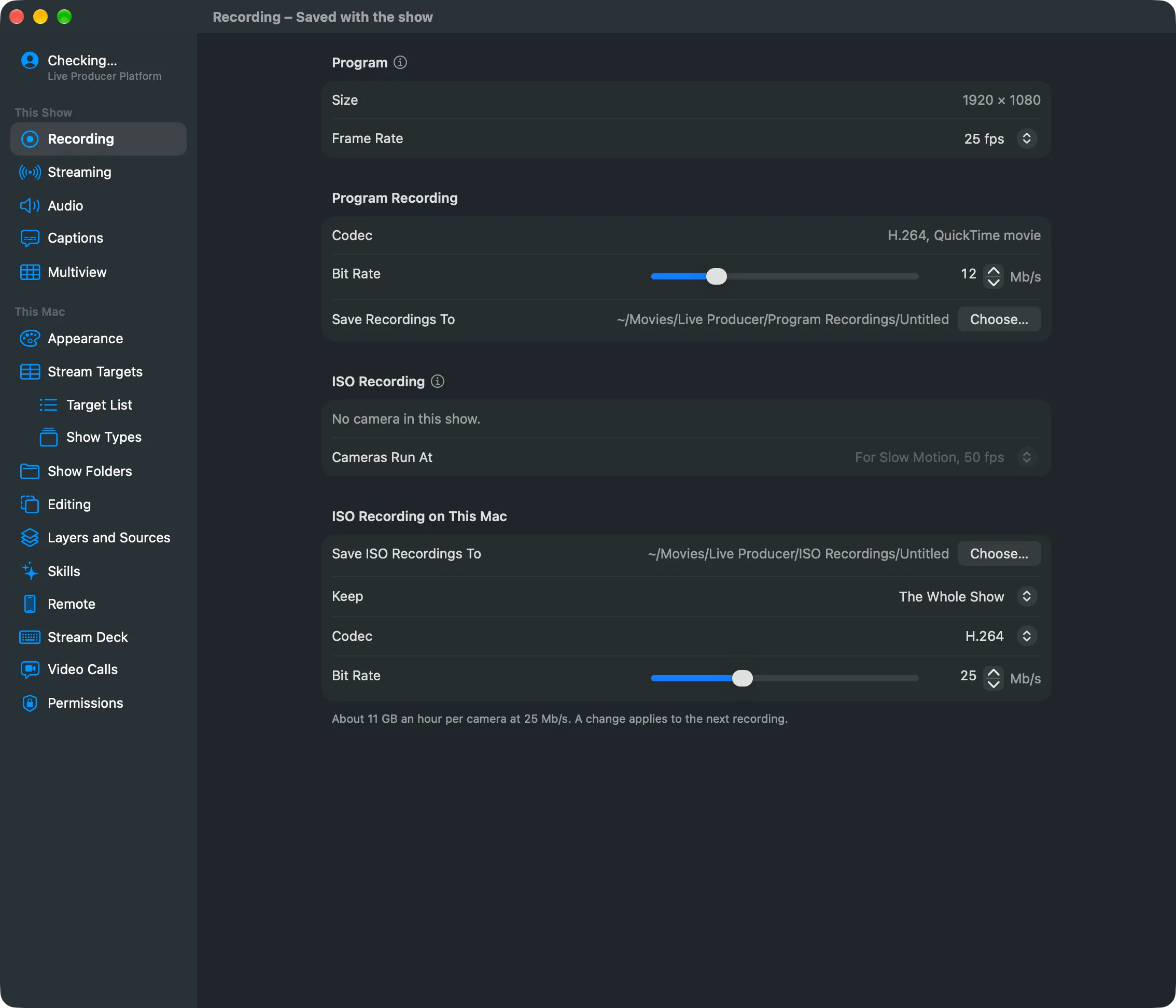
Program
Section titled “Program”Size shows the program’s size. Frame Rate sets the program’s frames per second: 24 (film look), 25, 29.97, 30, 50, 59.94 or 60. The two highest are marked “a busier Mac”. You cannot change the rate while a recording or a stream runs. See Recording for which rate to pick.
Program Recording
Section titled “Program Recording”Codec is H.264 in a QuickTime movie. Bit Rate runs from 4 to 40 Mb/s. Save Recordings To shows where the movies go: the show folder’s Program Recordings, or a folder you pick with Choose… when the show has no show folder. See Record the program.
ISO Recording
Section titled “ISO Recording”One checkbox per camera in the show. A ticked camera is recorded on its own, every frame. Cameras Run At sets the rate every camera runs at while one records; For Slow Motion is the default. The show must have a camera for this group to offer anything. See Record cameras on their own.
ISO Recording on This Mac
Section titled “ISO Recording on This Mac”Save ISO Recordings To, Keep (the whole show, or the last 10, 20 or 30 minutes or the last hour), Codec (H.264, or HEVC for smaller files and more cameras) and Bit Rate (8 to 60 Mb/s). These stay on this Mac and are not saved with the show. The footer estimates the gigabytes per hour per camera at the chosen bit rate. A change applies to the next recording.
See also
Section titled “See also”Describes Live Producer 0.305 · 29 October 2026