
A script is read into sections and parts; the rundown says what comes when, and you choose the shots.
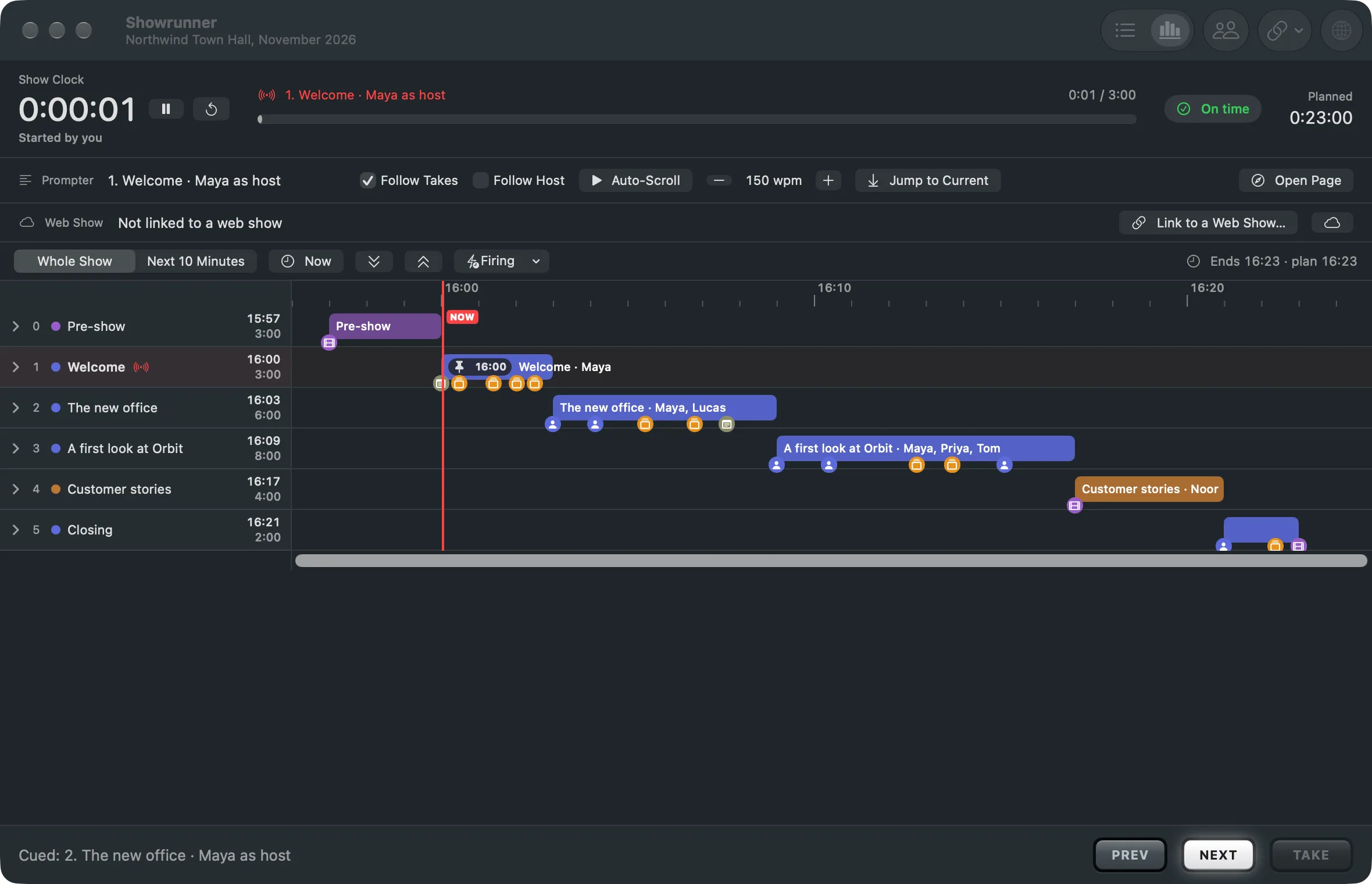
A script is the text the presenters read, with stage directions between the lines. Live Producer Platform reads it into a rundown: sections in order, each holding parts. The Studio runs that rundown in the Showrunner window.
Where a script is read
Section titled “Where a script is read”A show starts on the web, and only there. You give Live Producer Platform the script as Word, PDF, Excel or CSV, Markdown or text. Spelvin reads it and finds the sections, also where the script has no headings; a name it makes up is marked as suggested. Without Spelvin, built-in rules read it and start a section at each heading. A script processor skill can tell Spelvin what a run sheet’s columns mean. The Studio never reads or edits the script itself.
Sections
Section titled “Sections”A section is a block of the show, such as “2. HR update”. It has a number, a title, a planned time and its people. A section can have a start time (“we go live at 16:00”).
A part is one stretch inside a section, started by a stage direction. Each part has a kind:
| Kind | Example direction | What happens |
|---|---|---|
| Host | [Maya as host] |
The host on camera |
| Live | [Lucas live] |
Presenters live, often in a window of another app |
| Speaker | [TOM starts speaking] |
Another speaker, same picture |
| Recording | [Recording Noor] |
A recorded clip plays |
| Video | [Intro video – loop until 16:00] |
A video plays, or loops |
| Poll | [Poll results] |
The poll page |
| Outro | [Cue outro: …] |
The closing music |
A live part can have its recording as a fallback: [Lucas live, recording as fallback]. The
words after a direction are what is spoken; they go to the prompter and give a time estimate.
Notes, slide marks and links
Section titled “Notes, slide marks and links”[Note: …] is a note for the operator, not a part. [Note to presenter: …] also shows on the
prompter, [Note to crew: …] on the phone remote. New slide ---- moves the deck to its next
slide and Click ---- is a build on the same slide. A line that is a label and a web address
becomes a link of the show.
## 2. The new office (6' – Maya / Lucas)
[Maya as host]
Lucas has news that affects all of us. Lucas, over to you.
[Lucas live, recording as fallback]
Thank you Maya. In March we move to the new office by the river.
New slide ----
Cues are what the plan says happens at a point in the words: a shot, a lower third, a clip. On the timeline they sit in lanes. Each lane fires its cues one way, set on the web: manually (highlighted when due, a click cues it), automatically (into preview when due), or display only.
A shot cue is a planned shot: the plan the director follows. Select one on the timeline and the inspector shows the shot it stands for; a click puts that shot in preview, a double-click takes it live. A planned shot whose source is still a stand-in says No shot yet, with Link Source… to link it.
The rundown chooses no shot
Section titled “The rundown chooses no shot”When the show is built in the Studio, it makes the shots once for the whole show: the host’s camera, a wide camera, the camera with the slides, the slides full, the presenters, the poll, and a lower third per person. Which shot goes when is yours during the show. Next Part cues the next part; only a clip or recording part puts its own shot in preview, ready to roll.
Content and binding
Section titled “Content and binding”The rundown’s content (sections, parts, words, slide marks, presenters’ names and titles, cues, links and times) belongs to the web show. The Studio never changes it. How the rundown lands on this Mac (which source plays which role, the layers, the media folder, the photos) is this Mac’s, and a new version keeps it.
Read more
Section titled “Read more”Describes Live Producer 0.305 · 29 October 2026