
Script, sections, parts and links; the rundown as a list or a timeline; presenters, resources, versions and settings.
The show editor is where you prepare one show. You edit the draft here; the Studio sees only what you publish. Open it from the Shows page.
The top bar
Section titled “The top bar”Find a section or part… filters the rundown. Import Script Version reads a new version of the script into the draft. Spelvin (⌥S) opens the chat about this show. A chip per linked Mac shows its name and the version it pulled. Publish Version N publishes the draft. See Publish a version and The chat.
The header
Section titled “The header”The show’s title, its date and start time, and its links (a live deck, a poll, a document). Chips give the stage, Draft differs with what changed, the section names Spelvin suggested, and the readiness meters. While the show runs, an On air chip names the part on air and the next one. See Live status.
The Rundown tab
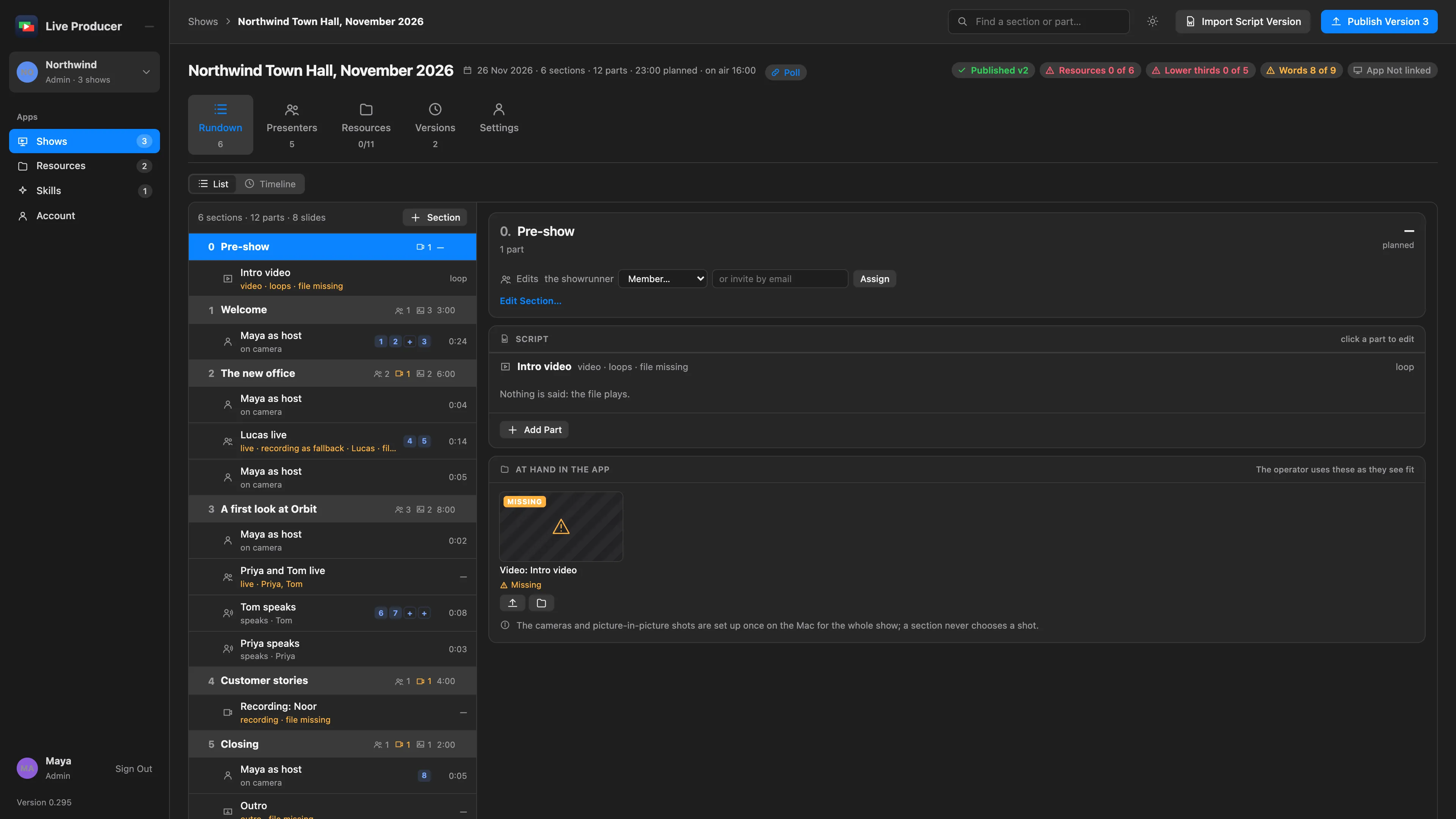
Section titled “The Rundown tab”List and Timeline are two views of the same rundown. In the list, the sections and their parts are on the left; the selected section is on the right:
- Edits: who may edit this section, with Assign. See Invite people.
- Name suggested by Spelvin, with Keep Name, when the script had no heading here.
- Edit Section…: number, title, planned minutes, start time, presenters and notes.
- Script: each part’s words and slide marks. Click a part to edit it.
- At Hand in the App: the lower thirds, slides and clips the section uses, each with upload and link buttons.
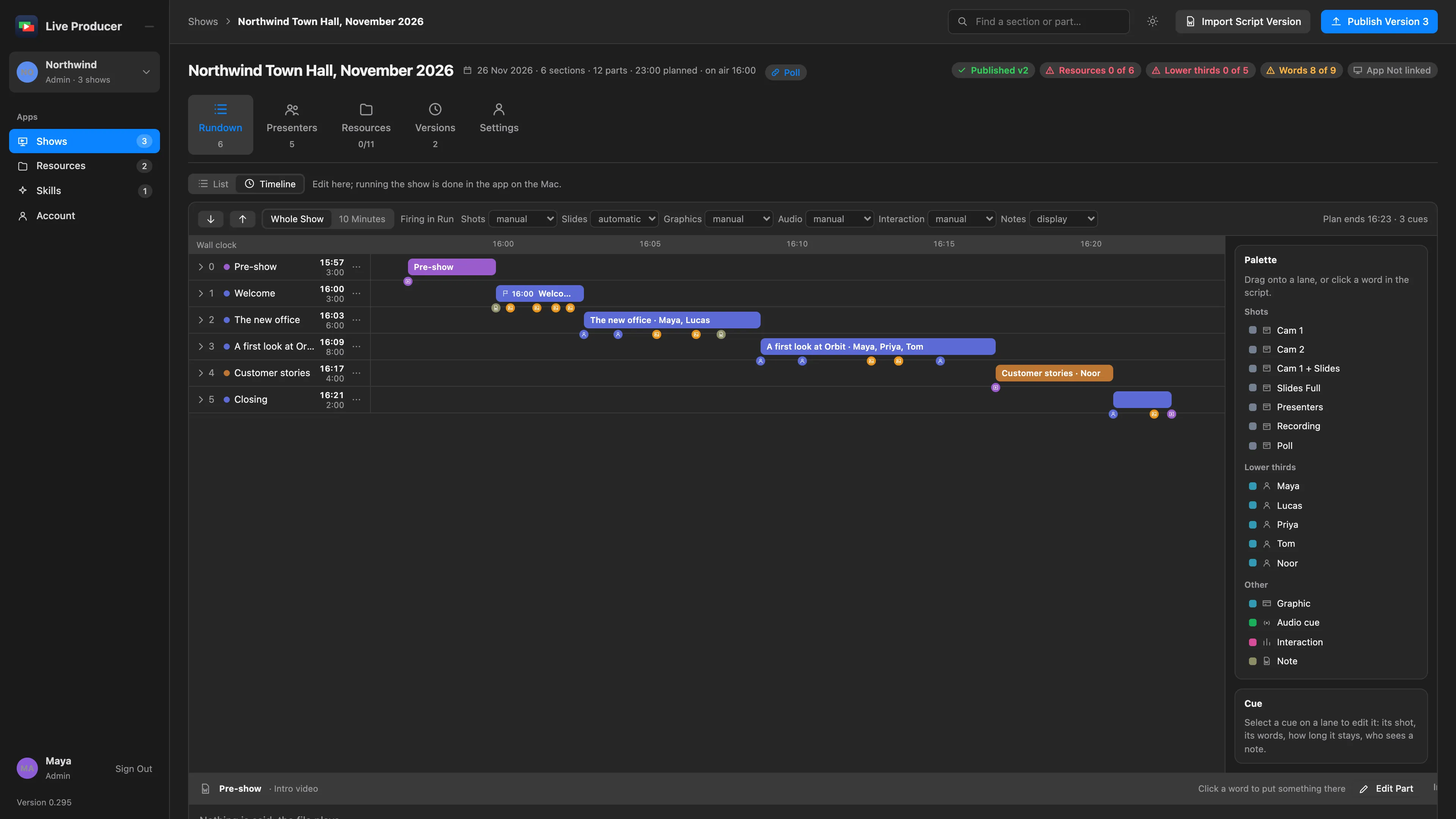
See Scripts, sections, parts and cues.
The Presenters tab
Section titled “The Presenters tab”Every presenter the script names, their Title on the lower third, their photo and their parts. Title and photo fill the lower thirds.
The Resources tab
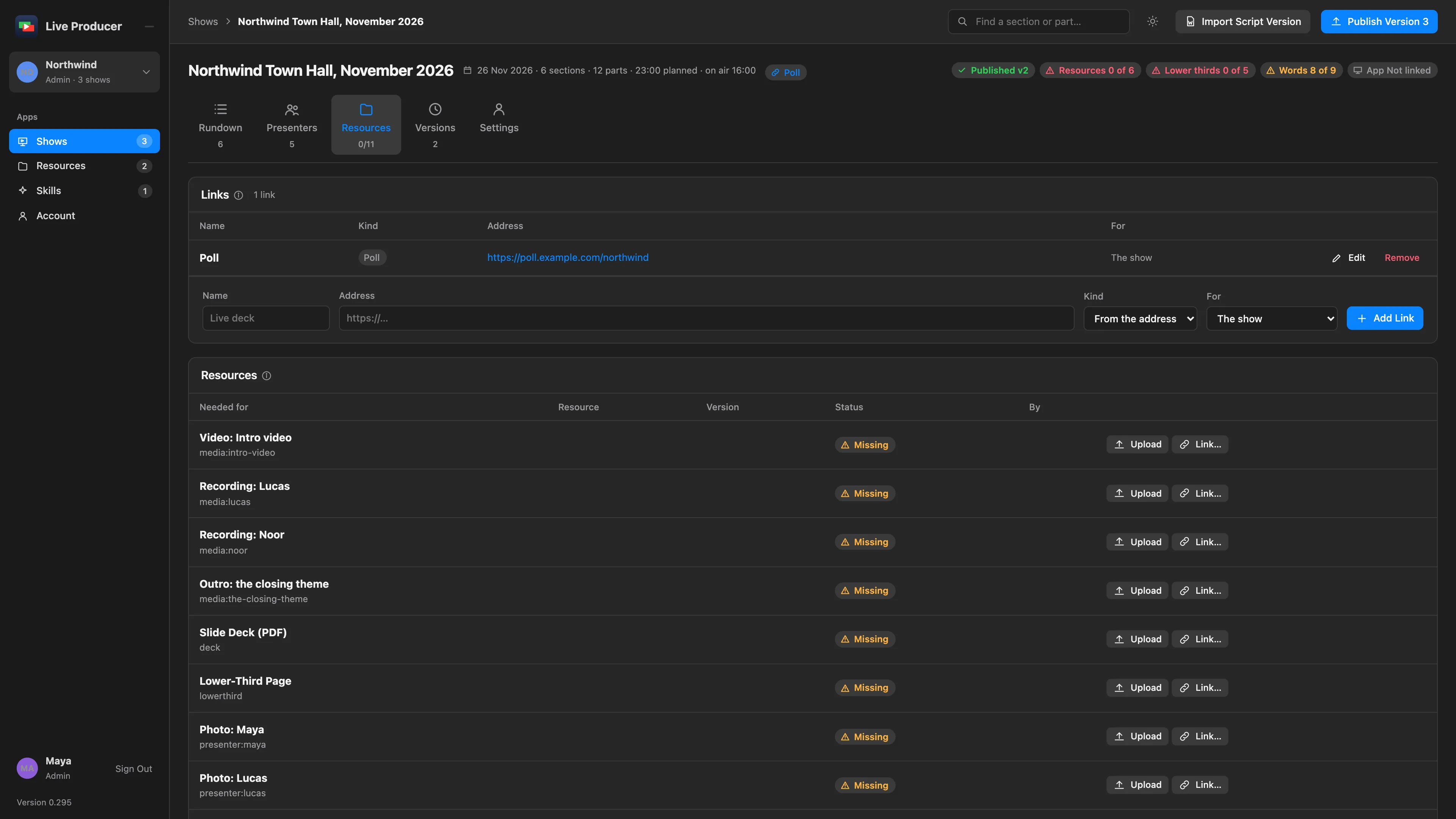
Section titled “The Resources tab”Links lists the show’s web addresses, found in the script or added here. Resources lists every file the show needs, with its status, Upload and Link…. New Lower Third, New Matte Wipe and New Stinger open Spelvin’s builders. See Resources.
The Versions tab
Section titled “The Versions tab”The unpublished draft at the top, then every published version with who published it, the note, the changes and the Macs that pulled it.
The Settings tab
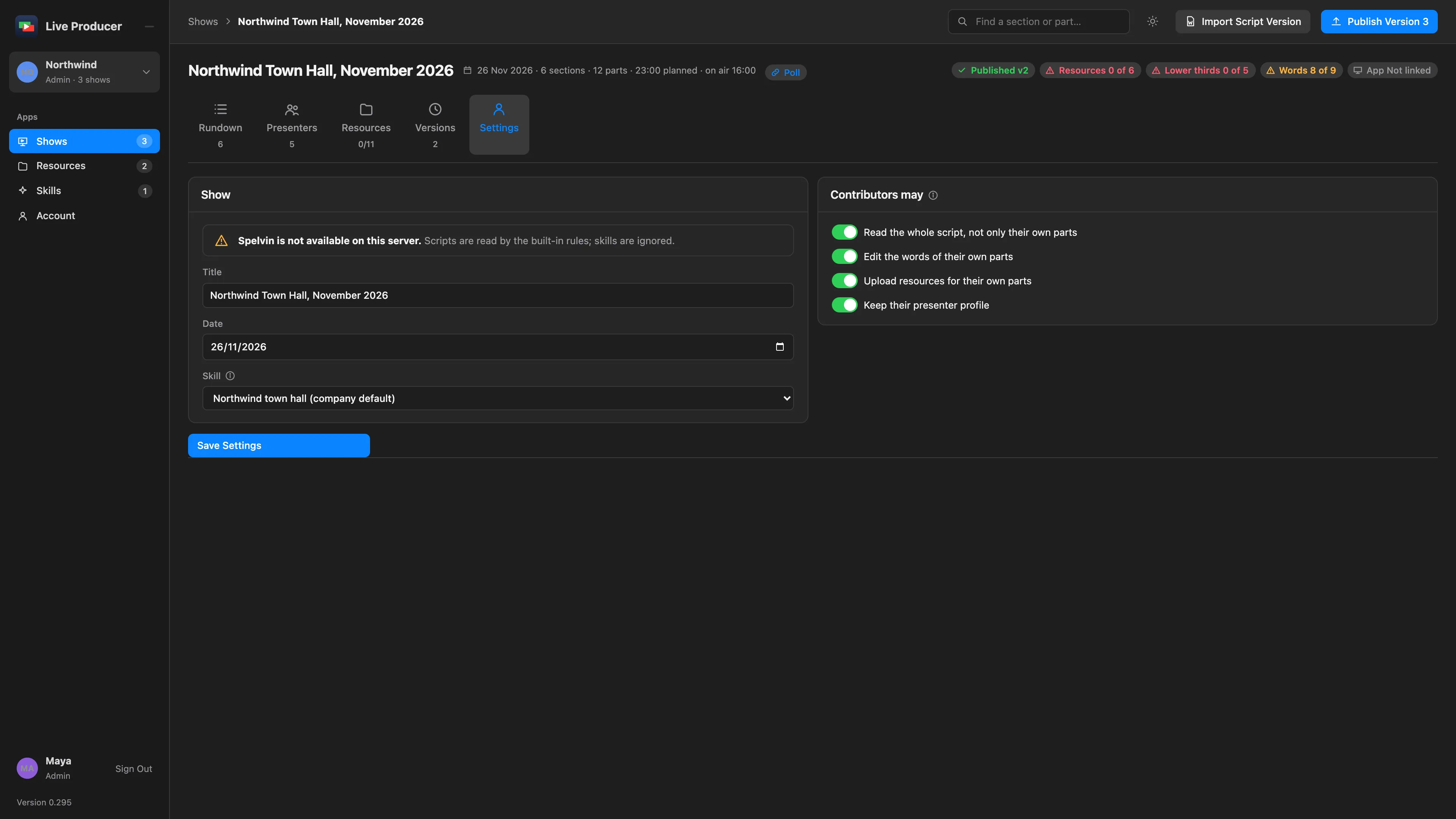
Section titled “The Settings tab”Show: the title, the date and the Skill that reads a new script version. Contributors may: four switches that set what a contributor can do in this show. Save Settings keeps them. An admin also sees Delete Show.
See also
Section titled “See also”Describes Live Producer 0.305 · 29 October 2026