
Give the captions a Markdown file so your names and terms are written as you spell them.
Make the captions write your company’s and speakers’ names correctly. See Live captions.
Before you start
Section titled “Before you start”- Make a list of the names and terms the show will use, and how they may be heard.
- Use a text editor that saves plain text, and save the file with the
.mdextension.
Step 1: Write the file
Section titled “Step 1: Write the file”Write one list item per term: the correct wording, a colon, then the ways it may be heard, separated by commas.
# Wording for live captions
- Northwind: north wind, northwinds- Orbit Planner: orbit planer, orbit plan her- Noor Haddad| Rule | Means |
|---|---|
| A term without alternatives | only puts its capitals right, as Noor Haddad above |
| Capitals | do not matter when matching |
| Words | only whole words are replaced |
| Other text | headings and paragraphs are ignored |
A table works too: the correct wording in the first column, what may be heard in the second. See File formats.
Step 2: Choose the file
Section titled “Step 2: Choose the file”Open Settings › This Show › Captions. Next to Wording File, click Choose… and choose the file.
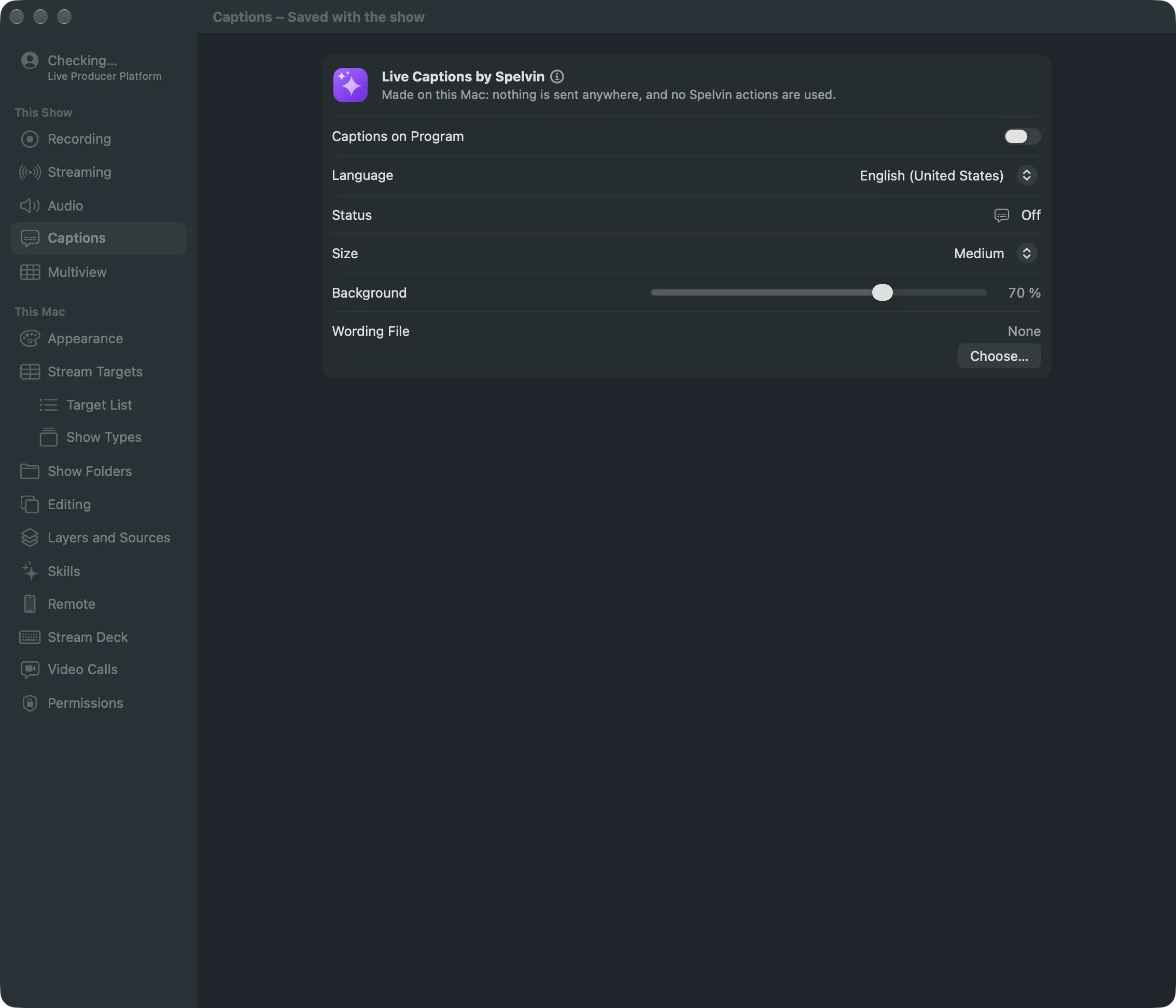
When the show has a show folder, the file is normally copied into it, and the show uses that copy. Rest the pointer on the file’s name to see where it is.
Step 3: Edit it while the show runs
Section titled “Step 3: Edit it while the show runs”Open the file the show uses, add a term, and save. The captions pick up the change while the app runs; you do not need to choose the file again.
Verify
Section titled “Verify”- Under the file’s name, the row shows how many terms it read, for example 12 terms. The file cannot be read means the file is gone or unreadable.
- With captions on, say one of the terms: the caption writes it as in your file.
To stop using the file, click Remove.
Related
Section titled “Related”Describes Live Producer 0.305 · 29 October 2026