
A show starts on the Live Producer Platform. You make it there, publish it, then pull it into Live Producer Studio to run it. To read about who can do this, see Companies, people and roles.
Before you start
Section titled “Before you start”- You are an admin or a showrunner in the company.
- You have the script as a Word, PDF, Excel or CSV, Markdown or text file, or you start from scratch.
- For the last steps: the Studio is signed in with your account. See Sign in.
Step 1: Open New Show
Section titled “Step 1: Open New Show”On the Shows page, click New Show.
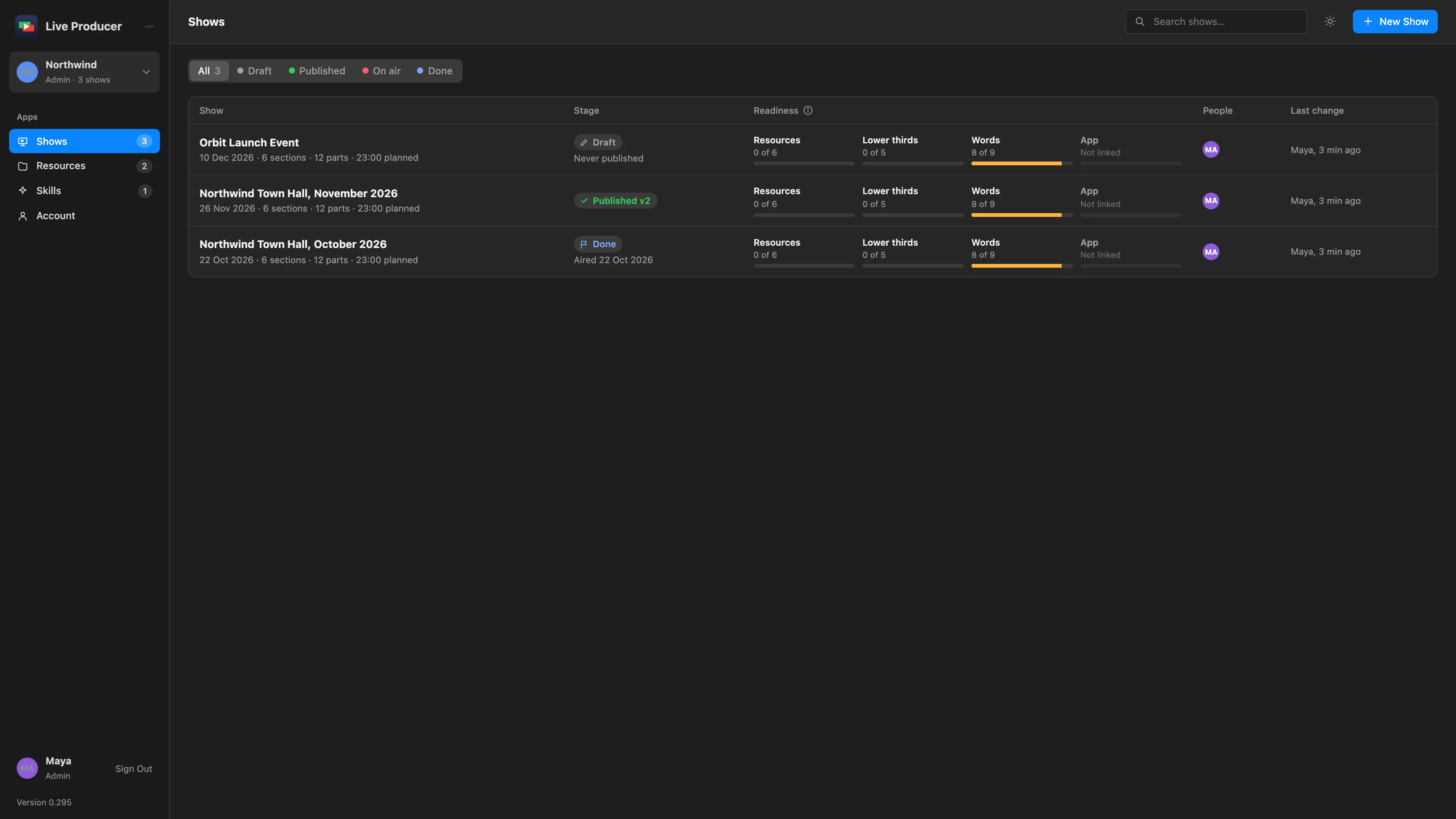
Step 2: Choose how to start
Section titled “Step 2: Choose how to start”Choose one:
| Choice | Makes |
|---|---|
| Import a script | A show read from your script. |
| Start from scratch | An empty show. |
| Duplicate a show | A copy of another show’s sections, parts, presenters and resources. Choose it under Copy from. |
Type a Title, or leave it empty to take the script’s. Set the Show date.
Step 3: Choose the script and the skill
Section titled “Step 3: Choose the script and the skill”For Import a script, click Choose the script and pick the file. Under Process input with skill, pick the skill that knows how your scripts are written, or leave the default. See Script reading and Skills.
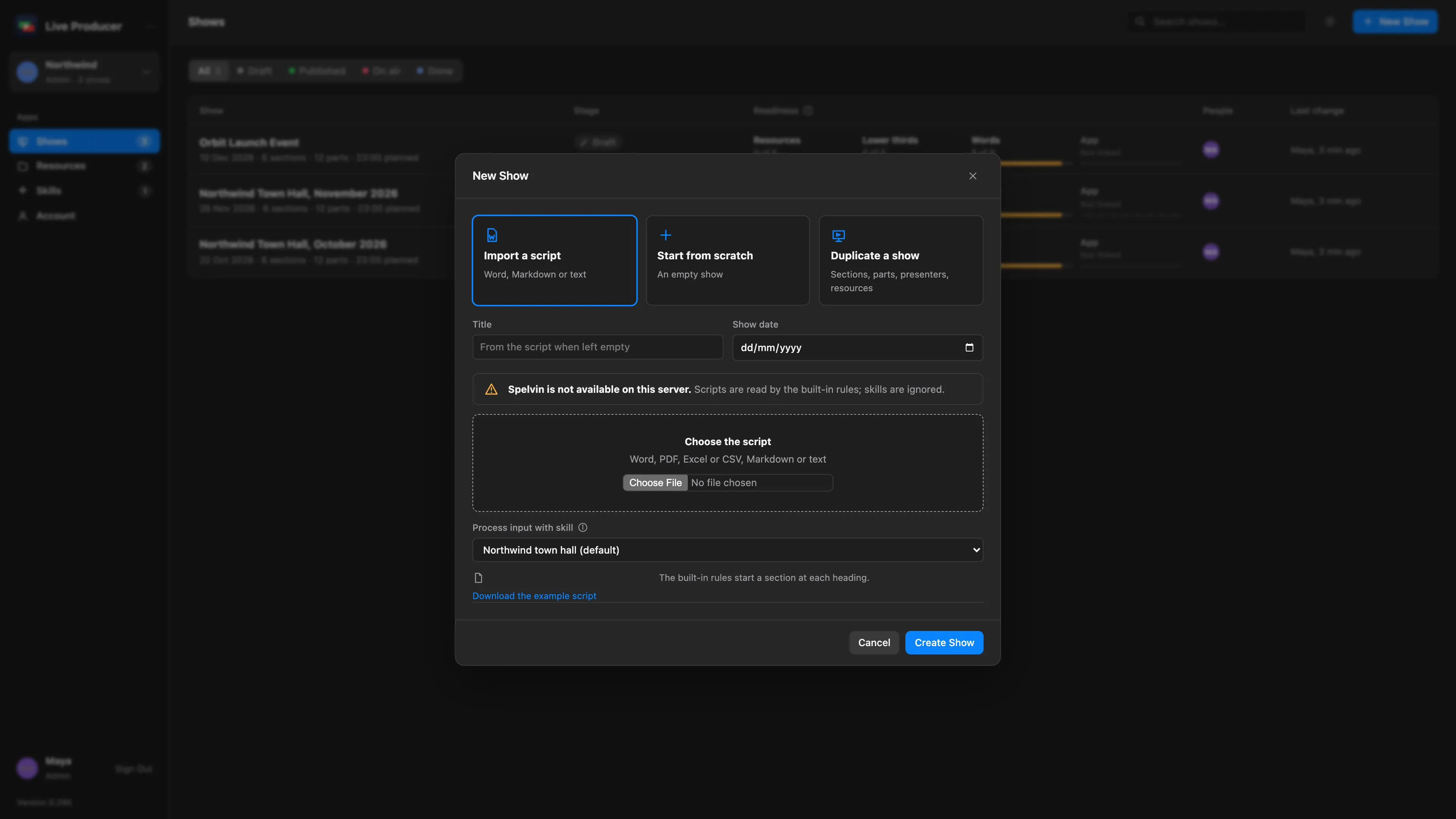
Step 4: Create the show
Section titled “Step 4: Create the show”Click Create Show. Spelvin reads the script into sections and parts; the dialog shows how far it is. The show editor opens when it is done.
Step 5: Check the rundown
Section titled “Step 5: Check the rundown”Go through the sections. A section marked Name suggested by Spelvin had no heading in the script; click Keep Name or change it in Edit Section…. See The show editor.
Step 6: Publish the first version
Section titled “Step 6: Publish the first version”Click Publish Version 1, then Publish. The Studio pulls published versions only. See Publish a version.
Step 7: Pull it into the Studio
Section titled “Step 7: Pull it into the Studio”In the Studio, choose Window › Live Producer Platform (⌥⌘L). Select the show in the sidebar and click Pull into a New Show….
In the sheet, give the show folder a Name, choose Where it goes and what it should Start From, then click Create. Check the import sheet and click Build Show.
Verify
Section titled “Verify”- On the web, the show’s App meter says Linked, v1 pulled.
- In the Studio, the Live Producer Platform window says the show is linked to the web show.
Related
Section titled “Related”Describes Live Producer 0.305 · 29 October 2026