
A held key acts only after you have held it down for a set time. Three keys work this way: Fade to Black, Record and Stream. All other keys act the moment you press them.
Why these keys
Section titled “Why these keys”These three change what the audience sees or what is kept, and a stray press is hard to take back: the program goes black, a recording starts or stops, a stream goes on or off. A hold makes an accidental press do nothing. Take, Cut and the shot keys stay instant, because speed matters there and the next Take puts things right.
What you see
Section titled “What you see”While you hold the key, it fills from the bottom. When it is full, the action happens. Let go before that and nothing happens. The Fade to Black key reads HOLD at rest and BLACK while the program is black.
The hold time
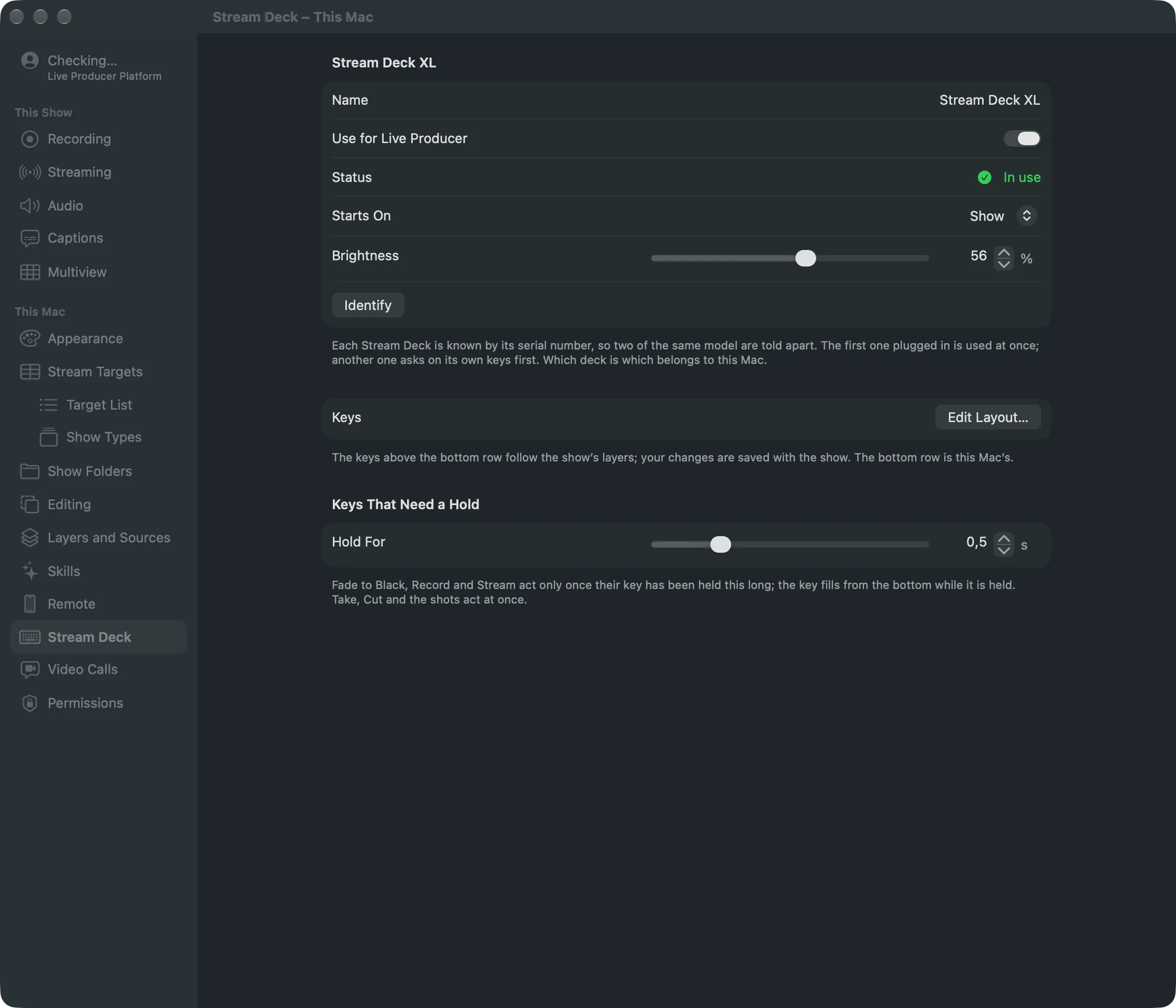
Section titled “The hold time”Hold For, under Keys That Need a Hold in Settings › This Mac › Stream Deck, sets how long. It starts at 0.5 seconds and goes from 0.2 to 1.5 seconds. The hold time belongs to this Mac, not to the show.
Only on the Stream Deck
Section titled “Only on the Stream Deck”The hold is a Stream Deck rule. Switcher › Fade to Black and the other menu commands, and their shortcuts, act at once as always. A key press is never undone: Fade to Black, Record and Stream are live actions, not edits.
Read more
Section titled “Read more”Describes Live Producer 0.305 · 29 October 2026