
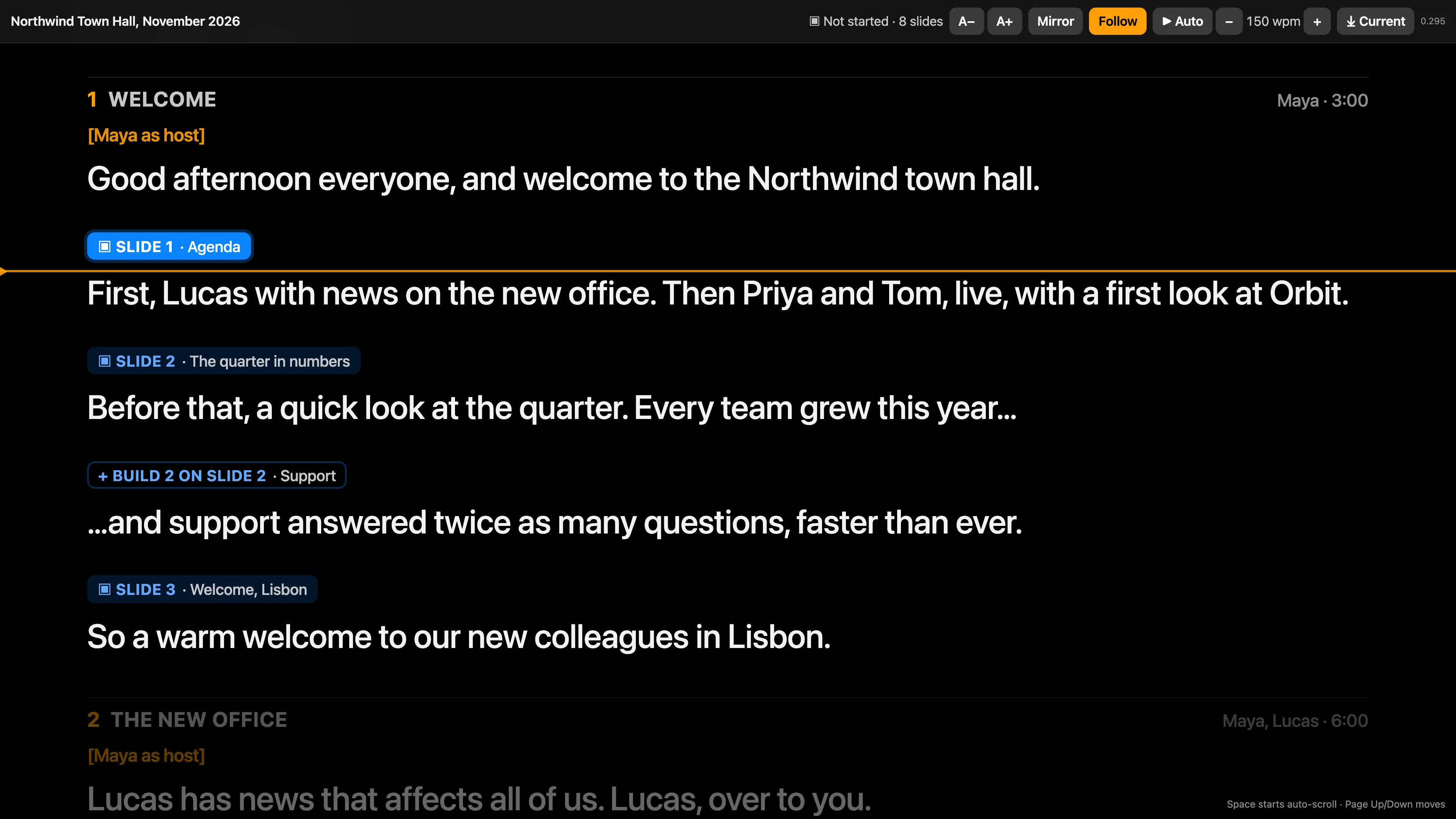
The prompter is a web page the Studio serves: the whole script in large type on black, for a prompter screen, an iPad or the presenter’s own browser. Every open prompter page shows the same place, and the Studio’s prompter bar moves them all.
The address
Section titled “The address”The page is at /prompter on the Studio’s remote control port, for example
http://<mac-address>:8800/prompter. The Showrunner window’s prompter bar shows the full
address, with the token another device needs. Window › Prompter Code shows it as a QR code
with Send to iPhone…. See Open the prompter.
The script
Section titled “The script”Each section starts with its number, title and people. Stage directions show in orange between brackets; a clip part says that the clip plays. Slide marks show in blue where the deck moves on: passed ones dimmed, the one due filled. The part on the prompter is bright and the rest dimmed.
The reading line
Section titled “The reading line”An orange line a third of the way down the screen. The presenter reads the words at the line.
The top bar
Section titled “The top bar”The show’s title and where the deck is, then the controls. The bar hides itself after a few seconds and comes back when you move the pointer or touch the screen.
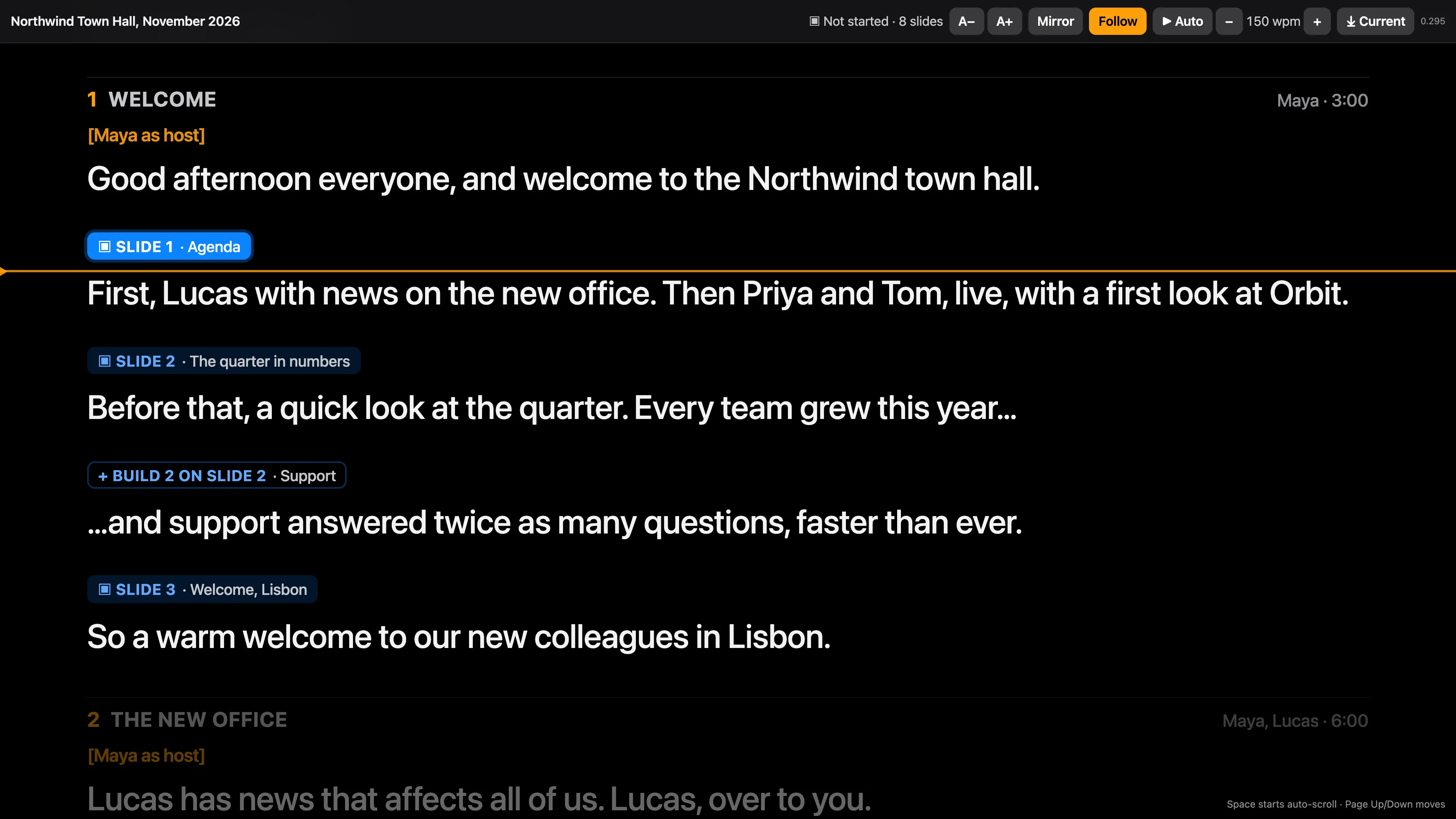
| Control | Does | Key |
|---|---|---|
| A− A+ | Smaller or larger text | − and + |
| Mirror | Mirrors the page for beam-splitter glass | M |
| Follow | A Take jumps the prompter to the part that went live | F |
| ▶ Auto | Starts or pauses auto-scroll, which stops at the end of each part | Space |
| − + | Slower or faster, in words per minute | [ and ] |
| ⤓ Current | Jumps to the part on air | Home |
Page Up and Page Down, the arrow keys and a presenter clicker scroll the page. Text size and mirroring are kept by each browser.
See also
Section titled “See also”Describes Live Producer 0.305 · 29 October 2026