
Markdown instructions that teach Spelvin how your scripts are written, kept on the platform and synced to the Mac.
A skill is a Markdown file that tells Spelvin how your shows are written. Spelvin reads it together with the script. With a good skill, the rundown comes out the way your team works.
Two categories
Section titled “Two categories”| Category | Is offered |
|---|---|
| Script processor | When a script is imported: in New Show, Import Script Version and the Studio’s import. |
| Resource processor | On an uploaded file. |
What a skill contains
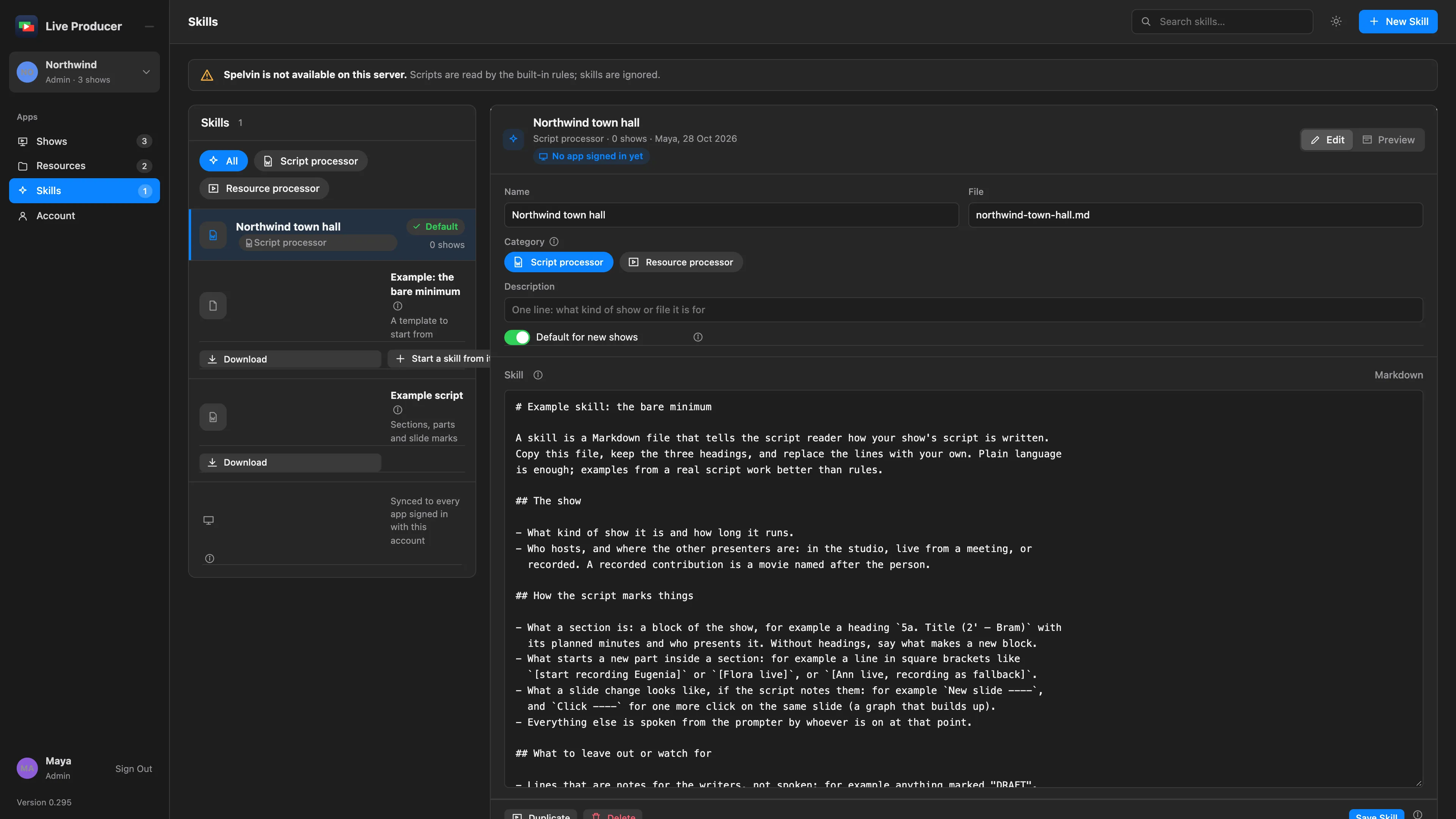
Section titled “What a skill contains”Plain language works. Examples from a real script work better than rules. The example skill has three headings:
- The show: what kind of show it is, how long it runs, who hosts and where the other presenters are.
- How the script marks things: what starts a section, what starts a part, what a slide change looks like.
- What to leave out or watch for: notes for the writers, words that look like names but are not people.
The example
Section titled “The example”Example: the bare minimum is a read-only skill with the three headings and placeholders to replace. On the web, Download it or Start a skill from it. In the Studio, Save Example… saves a copy.
The default skill
Section titled “The default skill”A script processor can be the Default for new shows: it is preselected in New Show. A show keeps its own skill on the web, in the show’s Settings tab under Skill, used when a new script version is imported.
Where skills live
Section titled “Where skills live”Skills belong to the company and live on the platform, under Skills in the rail. Admins and showrunners keep them. Every app signed in with the account gets them; a change reaches the apps at their next check, within a minute.
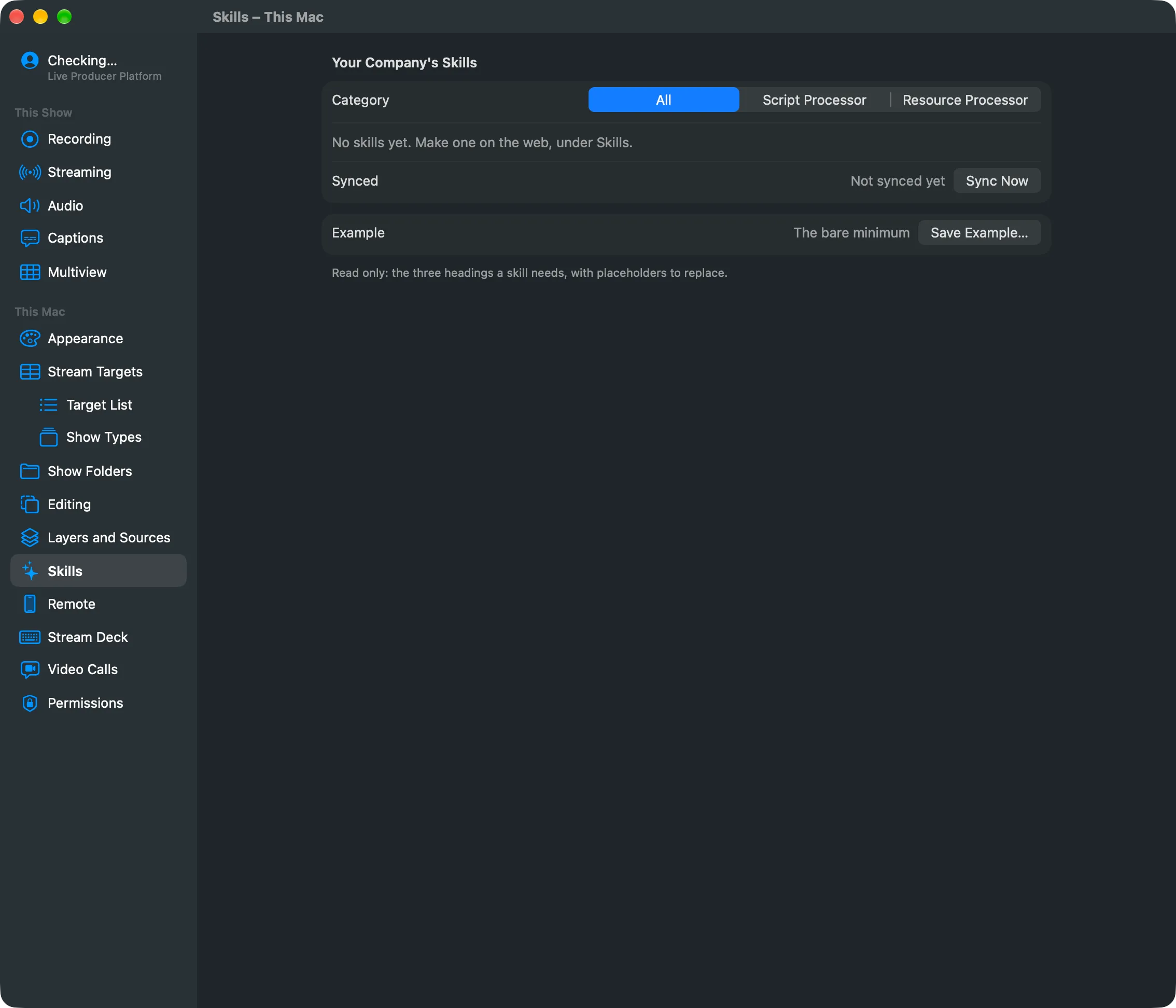
In the Studio, Settings › This Mac › Skills lists the company’s skills. You can read one, change it and Save to Web, or Show in Finder. Sync Now fetches them at once.
Trying a skill
Section titled “Trying a skill”Try it on the Skills page reads a test script with the saved skill and shows the sections and parts it makes, without creating a show.
When a skill is deleted
Section titled “When a skill is deleted”Shows that used it fall back to the built-in rules.
Read more
Section titled “Read more”Describes Live Producer 0.305 · 29 October 2026