
A layer setup is a ready set of layers, shots and stand-ins a show starts from: Standard, Blank, your own, or one Spelvin suggests.
A layer setup is a starting point for a show: a set of layers, the shots on them and the sources those shots use. A new show starts from one, and you can put one into a show that is already open. After that you change anything you like; a setup is never a rule.
The setups you can choose
Section titled “The setups you can choose”-
Standard, the app’s own, front to back:
Layer Shots For Logo Logo a logo or LIVE tag that stays on, so clearing a lower third never takes it off Graphics Lower Third lower thirds, titles, a QR code, a poll Main Camera 1, Camera 2, PiP, Video cameras, picture in picture, slides and full-screen clips, so a lower third can sit over a clip Audio Mixer an external mixer’s sound, live all show Every source in Standard is a stand-in: Logo, Lower-Third Page, Camera 1, Camera 2, Video and Mixer. A stand-in shows a drawing until you link it to your real camera, file or input; see Stand-ins and linking.
-
Blank, the app’s own: one empty layer, as a show needs at least one.
-
Your own setups, saved from a show with File › Save Layer Setup….
-
Suggested by Spelvin, when you pull a web show into a new show while signed in: Spelvin reads the web show and suggests layers, shots and stand-ins for it, with its reasons. See Suggested setups.
What a saved setup keeps
Section titled “What a saved setup keeps”A saved setup keeps the show’s layers, its shots and every source they use, as they are. A camera, input or window that is not there links itself when it comes back, and files are copied into the new show’s folder. Nothing on air or in preview is kept.
While you are signed in, your setups are kept in your account, for every Mac you sign in on. Signed out, they are kept on this Mac; signing in adds them to your account. Settings › This Mac › Layers and Sources lists them to rename or delete. Deleting a setup changes no show made from it.
Add or Replace in an open show
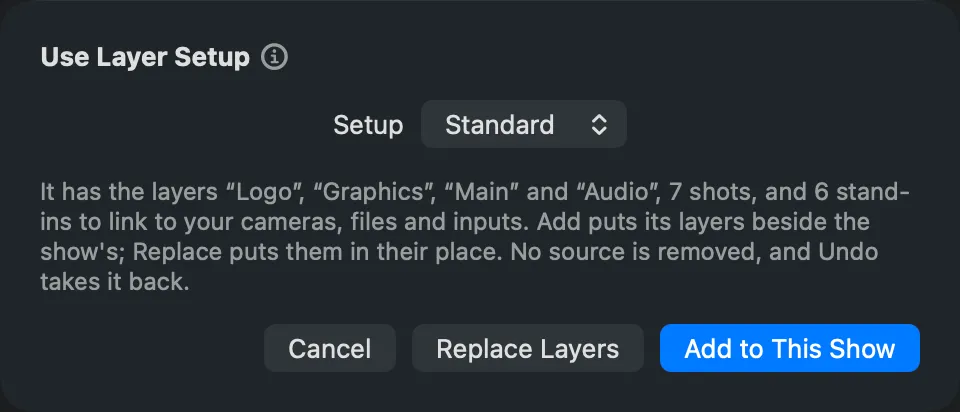
Section titled “Add or Replace in an open show”Layer › Use Layer Setup… puts a setup into the open show. On a blank show (no shots, no sources) it goes in as it is. When the show already has layers, you choose:
- Add to This Show puts the setup’s layers beside the show’s. A layer with the same name as one of the show’s gets the shots it lacks.
- Replace Layers puts the setup’s layers in place of the show’s.
Either way, no source is removed: a setup’s source with the same name as one of the show’s is the show’s own. It is one edit, so Edit › Undo takes it back, and nothing on the program changes until the next Take.
When the show runs from a script, the showrunner’s shots are on the show’s layers: Replace takes them away, and a warning asks for the layer the showrunner builds on.
Read more
Section titled “Read more”Describes Live Producer 0.305 · 29 October 2026