
Tell Spelvin what the lower third should look like and add the result to the show.
Make a lower third page with Spelvin in the Lower Third Builder, and save it into the show. To read how the builder works, see The Lower Third Builder.
Before you start
Section titled “Before you start”- The Studio is signed in with your Live Producer account, as an admin or a showrunner. See Sign in.
- A show is open. With presenters in it, you see their names in the preview.
- Spelvin has actions left: each prompt counts one.
Step 1: Open the builder
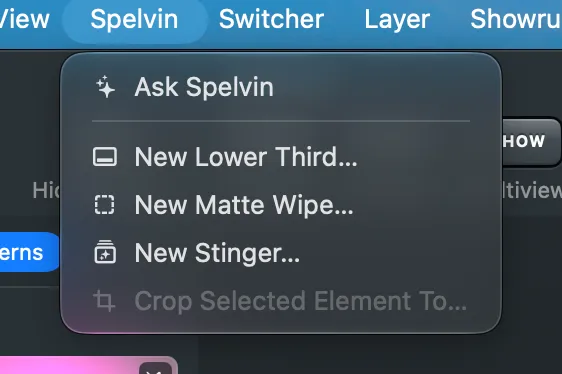
Section titled “Step 1: Open the builder”Choose Spelvin › New Lower Third….
Step 2: Describe it
Section titled “Step 2: Describe it”In the field at the bottom left, say what the lower third should look like, then click Send. For example: “A navy bar with the name over the title, the title in small capitals, sliding in from the left.” Spelvin answers with version 1, and the preview shows it.
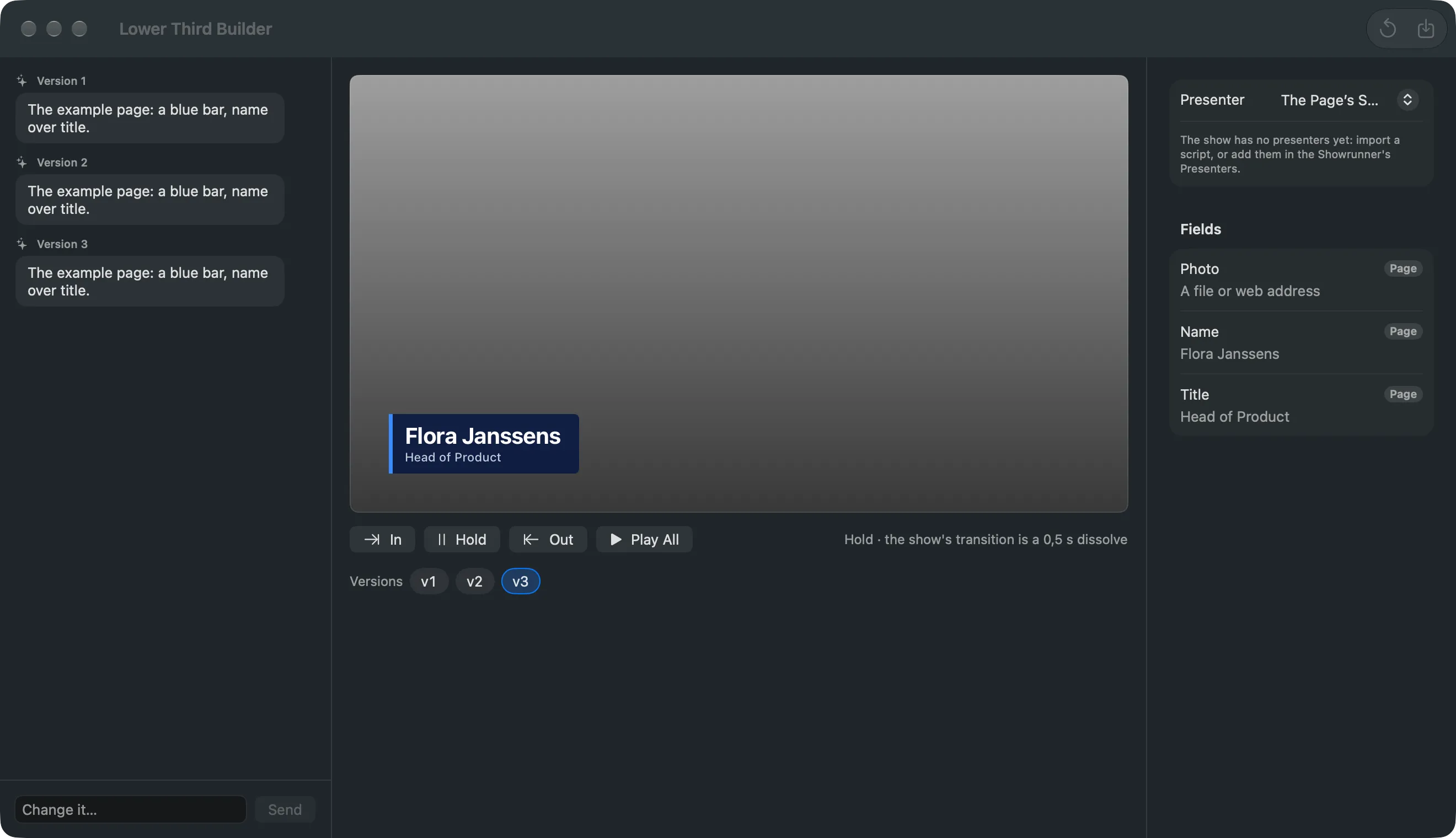
If Spelvin needs to know more, it asks one question. Answer it in the same field.
Step 3: Check it with your presenters
Section titled “Step 3: Check it with your presenters”Under Presenter, pick a presenter to see their name and title in it. Click In to play the entrance as the switcher does, Out to see it leave, and Play All for in, a hold and out.
Step 4: Correct it
Section titled “Step 4: Correct it”Type what to change, for example “Make the bar shorter and the title lighter”, and click Send. Each answer is a new version in the Versions strip. Click an earlier version to go back to it; your next prompt starts from the version you see.
Step 5: Save it
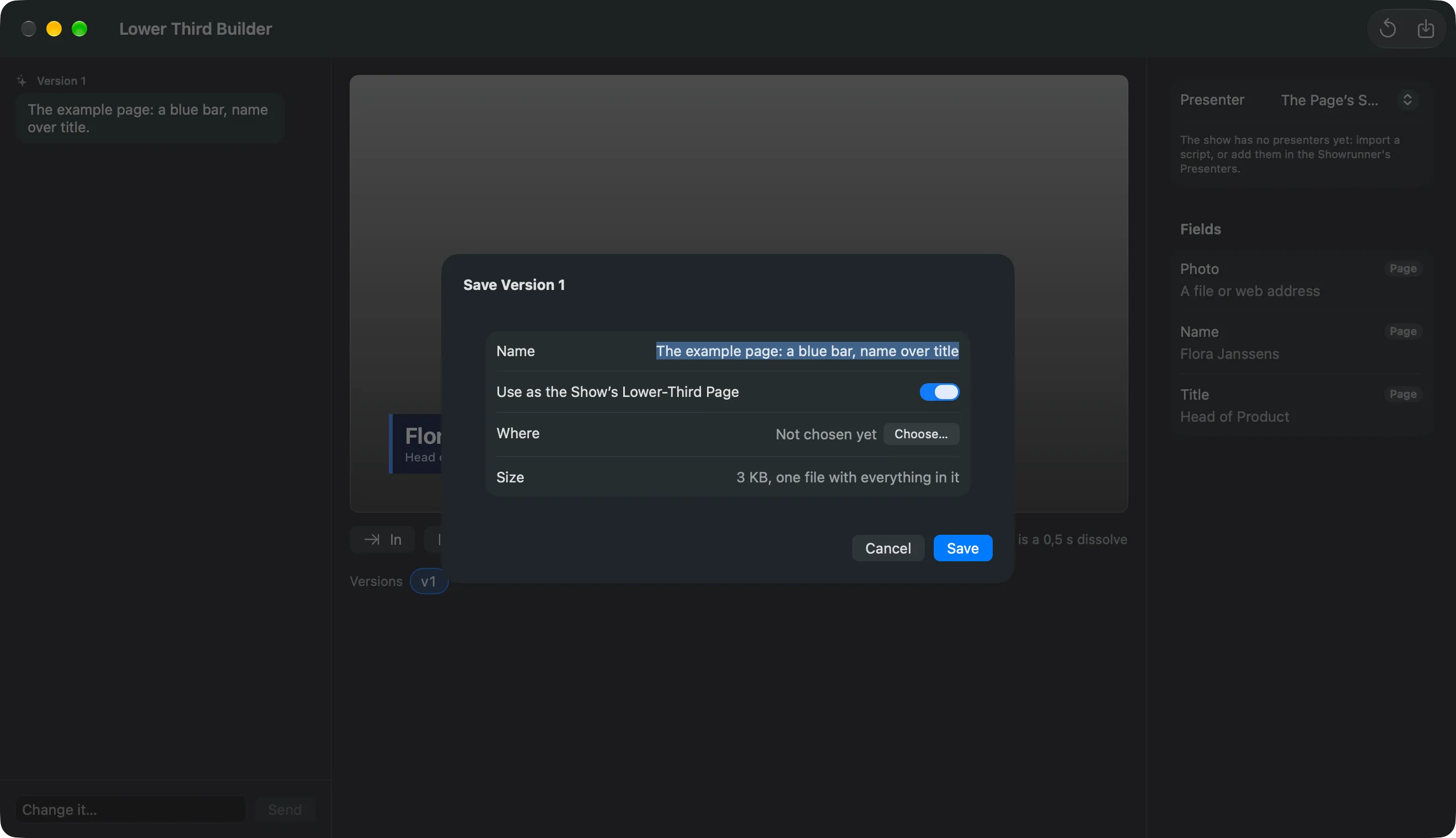
Section titled “Step 5: Save it”Click Save… in the toolbar. Give it a Name. Leave Use as the Show’s Lower-Third Page on to move every presenter’s lower third to this page, their values kept. Where shows the file’s place; Choose… picks another. Click Save.
On the web
Section titled “On the web”The same builder opens from a show’s Resources tab with New Lower Third. Its Save… puts the file in the show’s resources; the Mac takes it with its next check.
Verify
Section titled “Verify”- The page is a new source in the show, and its version has a check mark in the strip.
- With Use as the Show’s Lower-Third Page on, a presenter’s lower third shows the new page in the preview. The program changes at the next Take.
- Edit › Undo takes the source and the switch back; the file stays.
Related
Section titled “Related”Describes Live Producer 0.305 · 29 October 2026