
A resource is a file the company keeps on the platform: a recording, a video, a lower-third page, a photo or a sound. Every upload of a new file for it is a new version. A show links a resource to one of the things it needs, and the Studio downloads it.
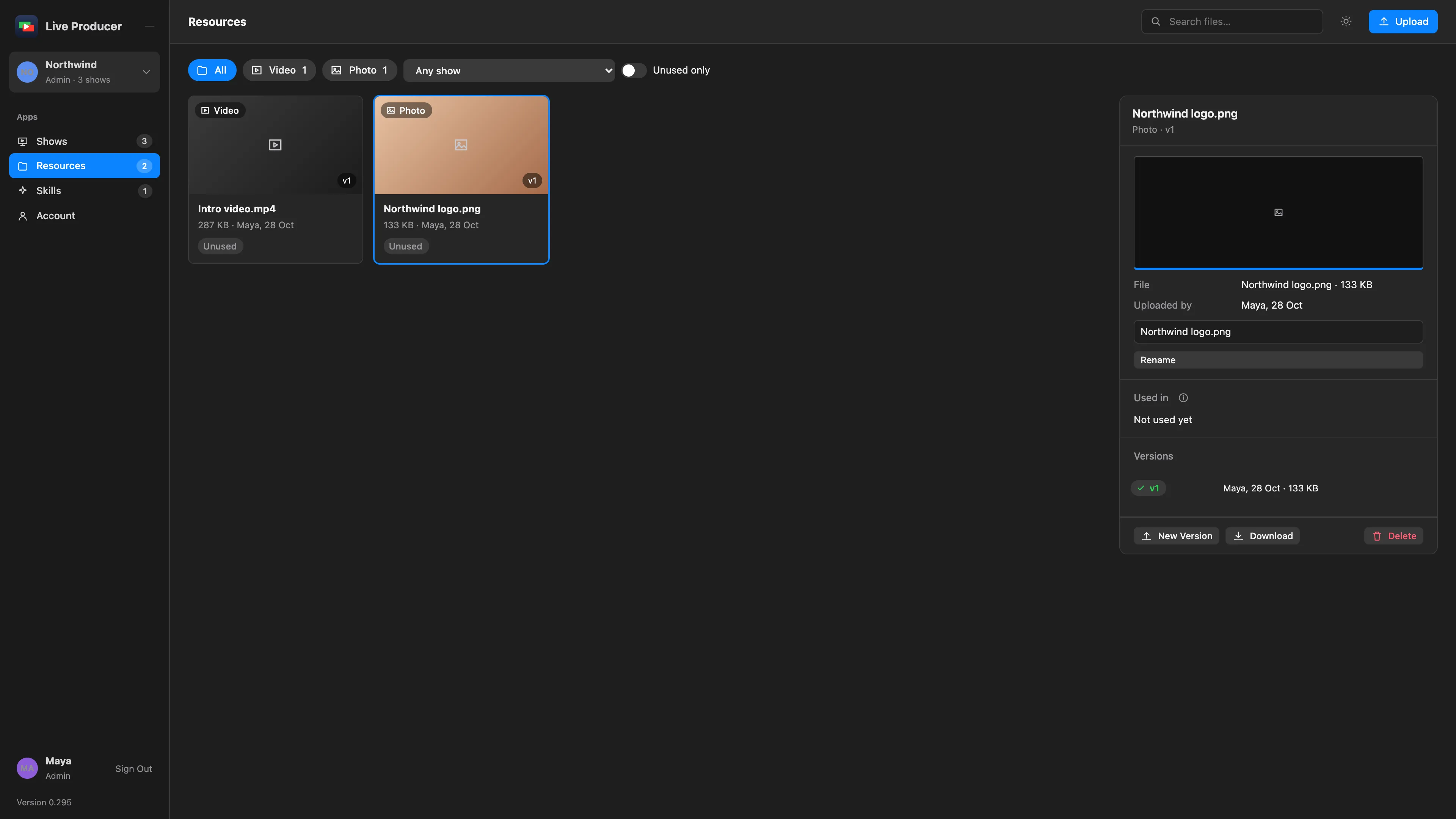
The platform sorts resources by kind: Recording, Video, Audio, Lower-third page, Photo and File. The pills at the top of the Resources page filter by kind. Any show narrows the list to one show’s files, and Unused only to files no show uses.
Versions
Section titled “Versions”A resource keeps every version you upload: v1, v2 and so on, each with who uploaded it and when. The newest is the one shows use. You can download any version from the resource’s panel. New Version uploads a newer file for the same resource; the shows that link it get the newer file without linking again.
What a show needs
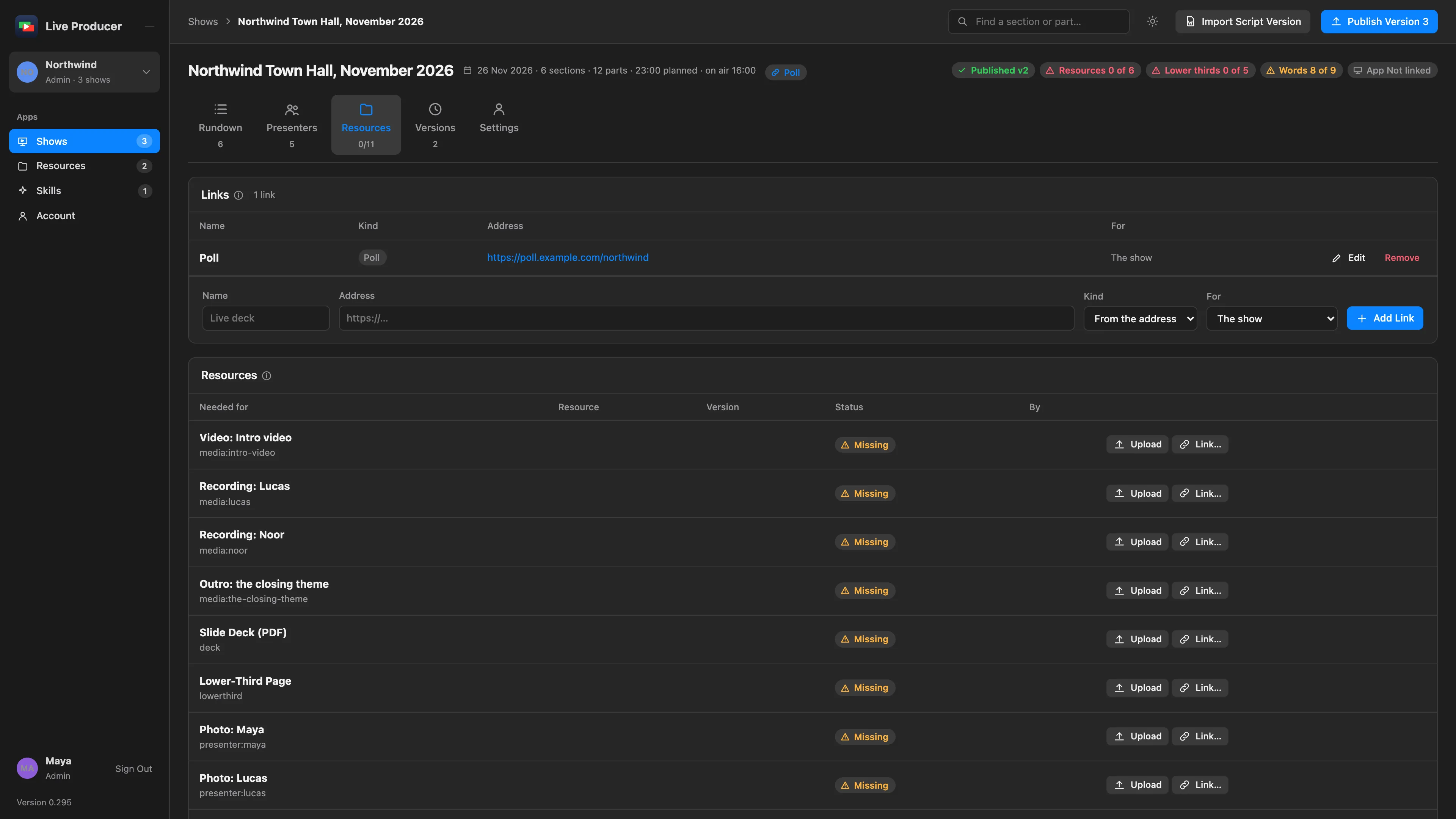
Section titled “What a show needs”A show lists what it needs on its Resources tab: one row per recording, video, lower-third page and photo in its rundown. Each row is linked to a resource, or shows Missing. You fill a row in two ways:
- Upload a file for it. The file becomes a company resource, linked to that row.
- Link… to a resource the company already has.
The resource’s panel lists the shows that use it under Used in. One resource can be used by several shows.
In the Studio
Section titled “In the Studio”A Mac linked to the show sees which files changed and downloads them into the show’s folder. A recording fills its stand-in, a newer version replaces the file, and a photo goes to its presenter. See Stand-ins and linking.
Deleting
Section titled “Deleting”Delete removes the resource, every version, and its links in shows. The platform asks first.
Read more
Section titled “Read more”Describes Live Producer 0.305 · 29 October 2026