
Each show has a folder of its own for its script, files and recordings: what is in it, where it goes, and why files inside it travel with the show.
A show folder is a plain folder that holds a show file and everything the show uses. File › New Show… makes one for every new show, so the show, its files and its recordings stay together.
What is inside
Section titled “What is inside”New Show makes the folder and all its subfolders at once, so you see where things go:
| Folder | Holds |
|---|---|
Spring Game 2026.vsshow |
the show file, named after the folder |
| Script | the script and the versions pulled from the web show |
| Media | clips, pictures and other files the show plays |
| Lower Thirds | lower-third pages |
| Presenters | presenters’ photos |
| Program Recordings | the program recording |
| ISO Recordings | each camera’s own recording |
| Highlights | marks and clips for replay |
| Transitions | matte wipes and stingers |
It is a folder, not a package: you can drop files into it in the Finder.
Where it goes
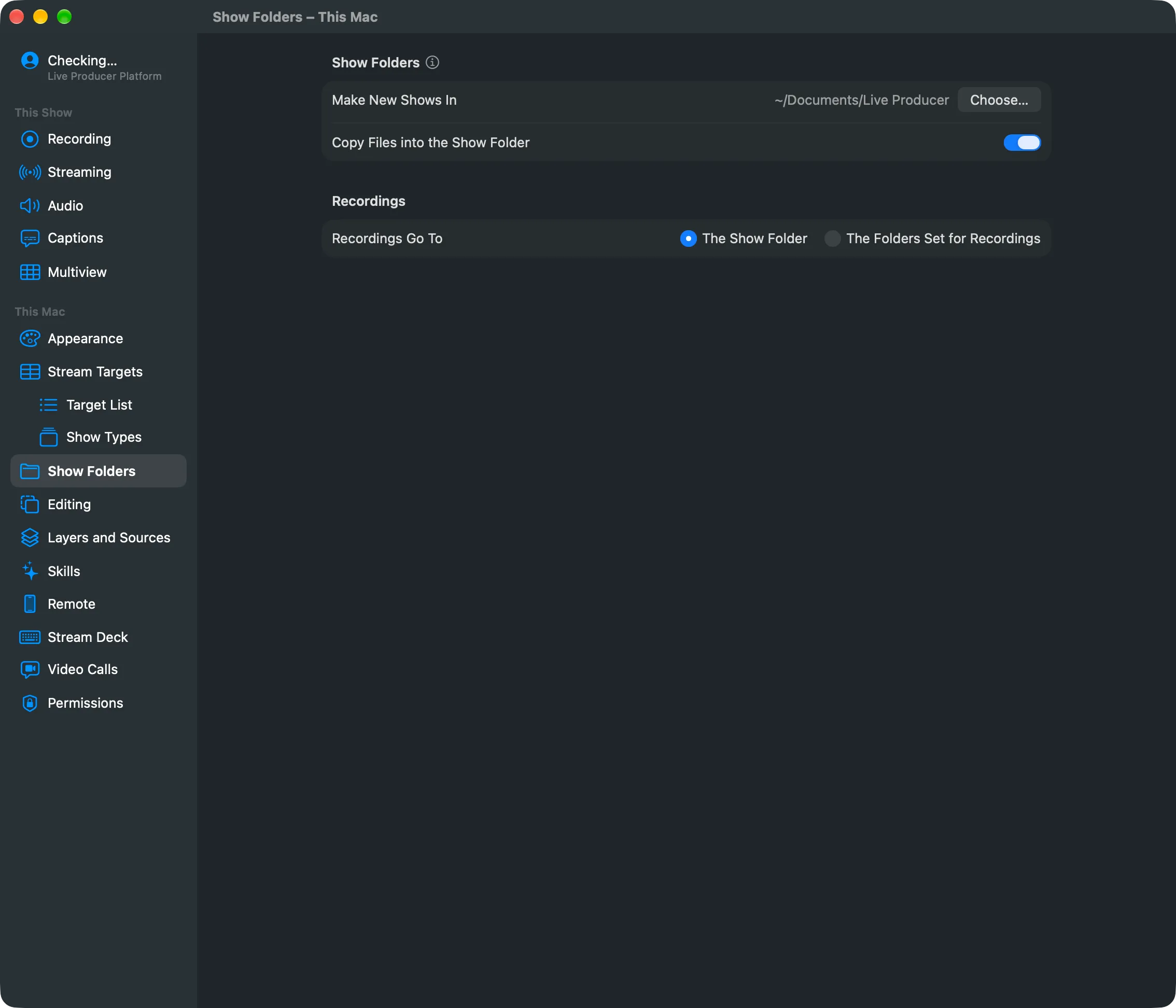
Section titled “Where it goes”New shows go to ~/Documents/Live Producer until you choose another place. The New Show sheet
remembers the last place you used on this Mac. Set the default under Settings › This Mac ›
Show Folders › Make New Shows In.
A name that is taken gets a number: a second “Spring Game 2026” becomes “Spring Game 2026 2”.
Why files inside it travel
Section titled “Why files inside it travel”A file inside the show folder is stored relative to it (Media/intro.mov); a file outside it
by its full path. So you can move the folder, rename the drive it is on, or copy it to another
Mac, and the show still finds every file inside.
With Copy Files into the Show Folder on (the default), a clip, picture, page or photo you add from elsewhere is copied into the folder. File › Collect Files into the Show Folder copies in what is still outside. A page that uses files beside it is left where it is.
An older show without a folder opens as before; File › Make a Show Folder… gives it one.
Recordings
Section titled “Recordings”By default the program recording goes into Program Recordings and the ISO recordings into ISO Recordings. Under Recordings Go To you can send them to The Folders Set for Recordings instead, the folders on This Show › Recording, for example a fast external disk.
A show in iCloud Drive never records into its folder: iCloud would upload tens of gigabytes. Its recordings go to the folders set for recordings, and Show Folders says so.
Read more
Section titled “Read more”Describes Live Producer 0.305 · 29 October 2026