
Script reading turns a script into a show’s rundown. Spelvin reads the whole script and finds its sections, the parts inside them, the people and the links. It reads; you still decide what the show becomes.
What it finds
Section titled “What it finds”- Sections: the blocks of the show, with a number, a title, the presenters, the planned time and the start time. Spelvin also finds a section where the script has no heading, and names it from what happens in it.
- Parts: what happens inside a section, each with its title, kind (such as host, live, speaker, recording, video, poll or outro), the people in it, the words that identify its file, and its planned time. A part may have a fallback: a recording that plays if the live contribution fails.
- Slide marks: where the slide deck moves on, and builds on the same slide.
- The show: its title, host, presenters and poll link.
- Links: a line that is a label and a web address, such as a live deck or a meeting. Spelvin names it and says what kind of link it is.
Spelvin never rewrites the words. The words in the rundown are the script’s own.
Suggested names
Section titled “Suggested names”A section name Spelvin made up is marked Name suggested by Spelvin. It stays marked until you click Keep Name or change it. The show’s header counts the suggested names.
Skills steer the reading
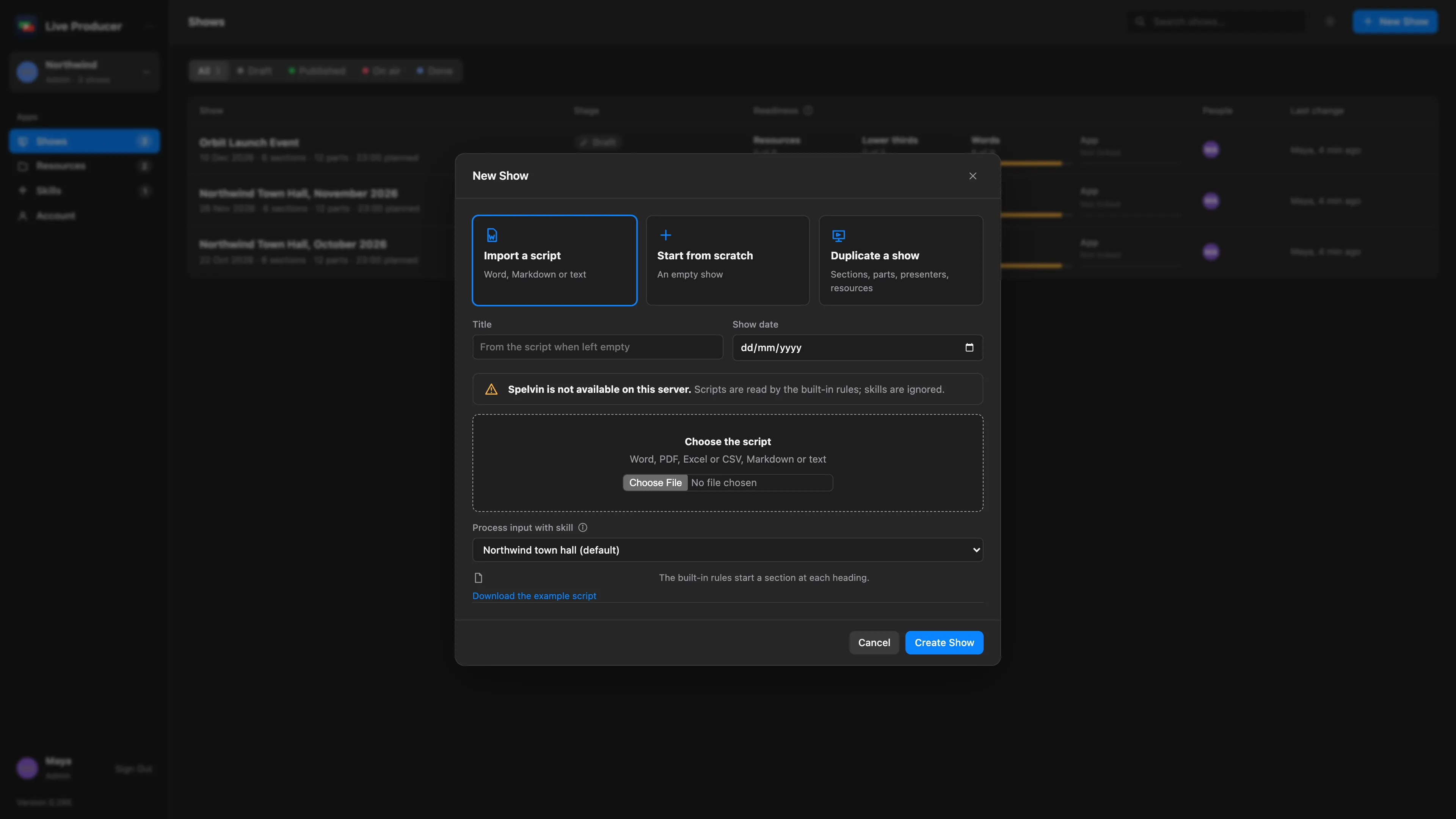
Section titled “Skills steer the reading”A skill tells Spelvin how your scripts are written: what starts a section, what a stage direction looks like, what to leave out. You choose it under Process input with skill when you import. A show keeps its skill, in its Settings tab on the web under Skill, for the next script version. See Skills.
Where it reads
Section titled “Where it reads”| Where | What happens |
|---|---|
| Web: New Show, Import a script | A new show from the script. |
| Web: Import Script Version, Read and Merge | A new version read into the draft. Matched sections and parts keep their resources and notes. |
| Web: Skills › Try it | A test reading with one skill. No show is made. |
| Studio: importing a script | The reading goes into the import sheet, where you check it. |
Script files can be Word, PDF, Excel or CSV, Markdown or text.
The built-in rules
Section titled “The built-in rules”Without Spelvin, the built-in rules read the script: they start a section at each heading, and a script without headings becomes one section. The rules take over when the platform has no Spelvin, and while Spelvin is resting over its allowance; a banner says so. Download the example script shows a script the rules read as it is.
With Spelvin available, None: Spelvin without a skill reads the script with no skill at all.
A script reading counts 10 actions. A reading that fails costs nothing. See Actions and limits.
Read more
Section titled “Read more”Describes Live Producer 0.305 · 29 October 2026