
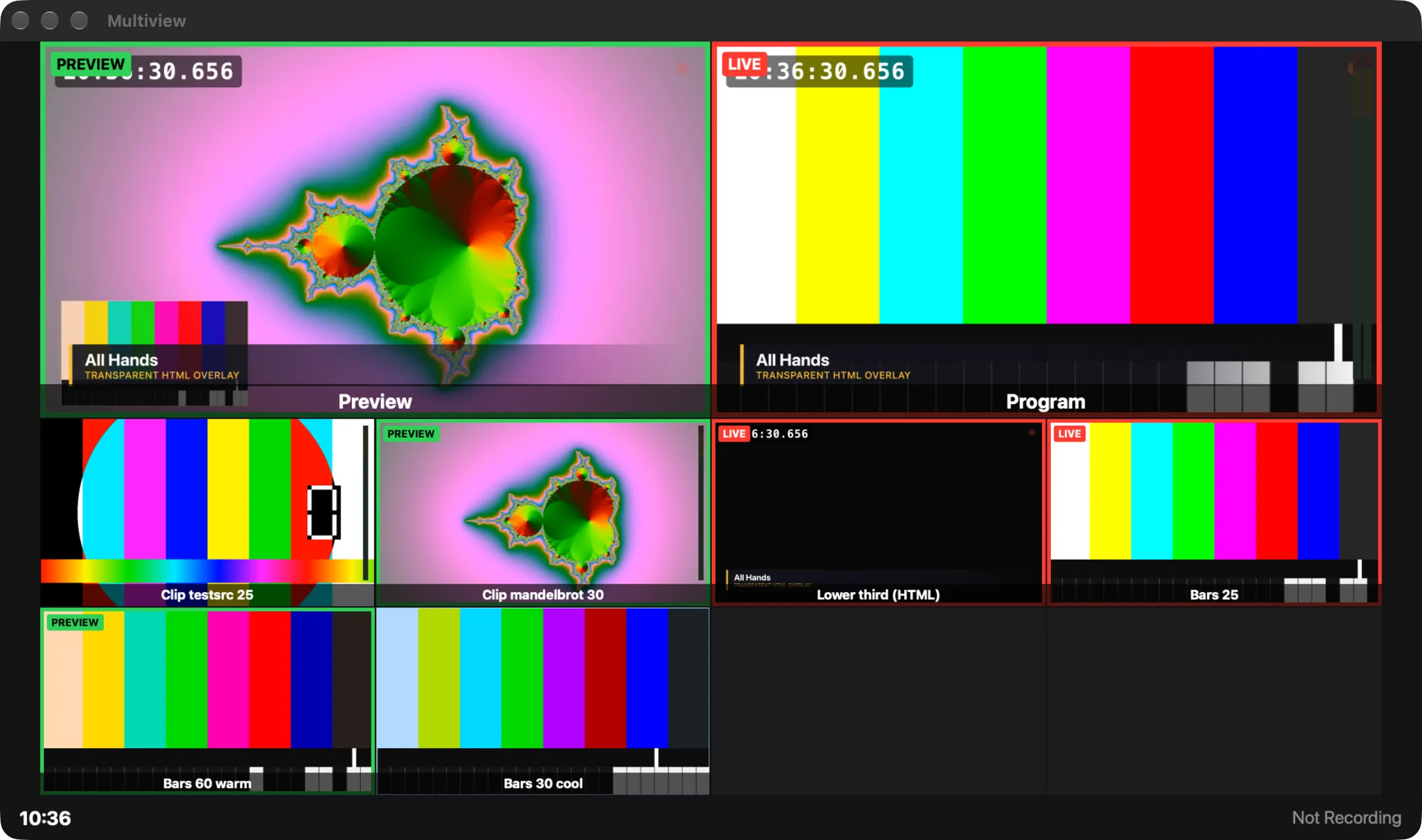
A monitor wall of program, preview, sources and timers, with tally, meters and a status strip; nothing in it switches.
The multiview is a monitor wall in a window of its own: the program, the preview, the sources and a timers screen side by side. It is for watching only. Nothing in it switches, so you can put it on a screen for the crew or the host without risk.
Opening it
Section titled “Opening it”Choose Window › Multiview (⌥⌘V) or click Multiview in the main window’s toolbar. Like the Program window it can go full screen on any display with Window › Multiview Full Screen On, and the show remembers where it was. It is drawn only while its window can be seen, so a closed or covered multiview costs nothing.
Layouts
Section titled “Layouts”Choose a layout in Window › Multiview Layout, by right-clicking the picture, or in Settings › This Show › Multiview: 2 × 2, 2 + 8 (the default), 1 + 5, 1 + 7, 3 × 3 or 4 × 4. Every box is 16:9 and together they fill the frame.
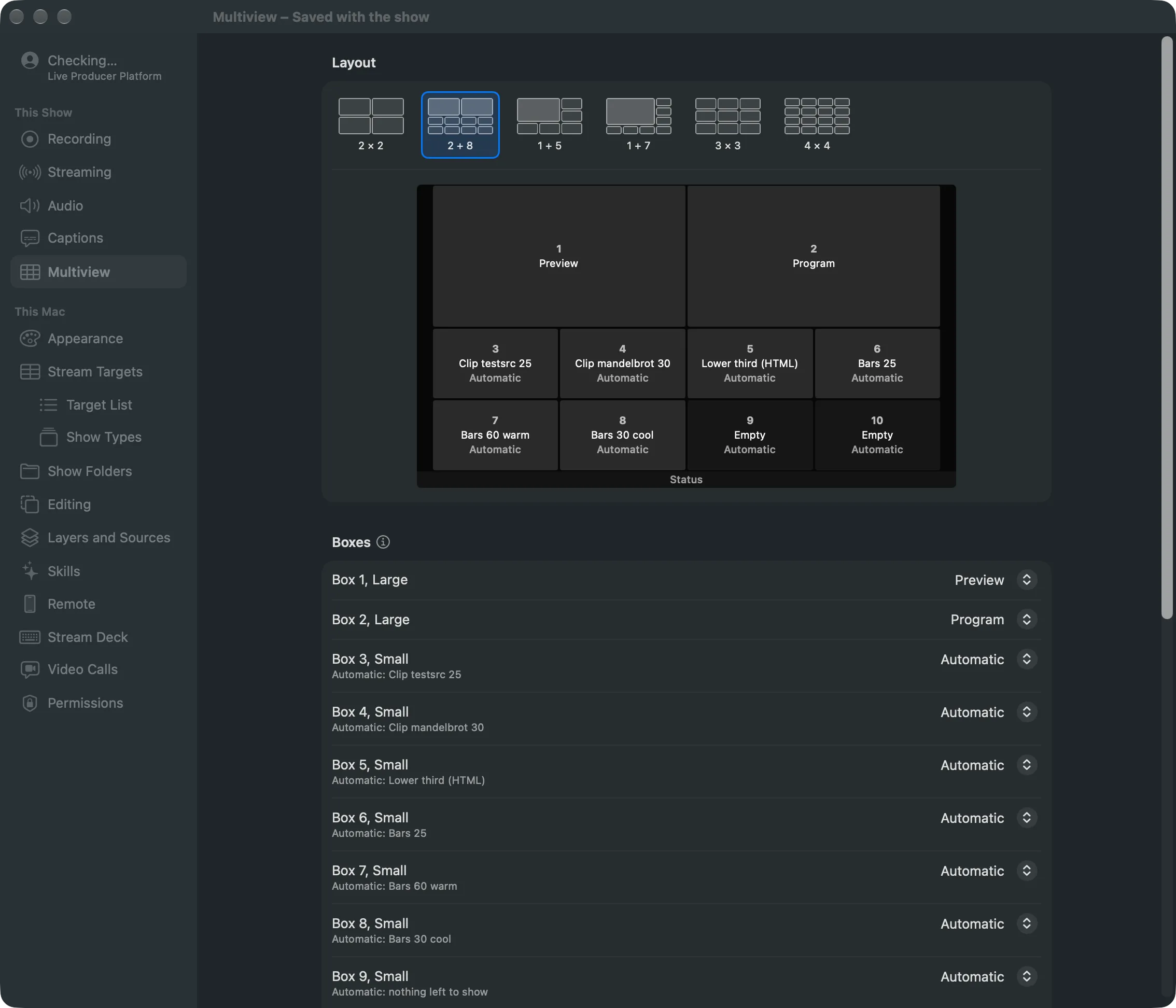
Each box shows one of: Automatic, Program, Preview, Timers, a source, or Empty. A new layout starts with preview and program in the first two boxes; 2 × 2 also has a Timers box.
Automatic boxes take the video sources that no other box shows, in the order of the sidebar. Sound-only sources are left out, and so are template pages: a box would show a lower third without its values. You can still choose a template page for a box. Reset Boxes puts every box back to what the layout gives it.
Timers
Section titled “Timers”The Timers box shows the time of day (24-hour), how long the show has run (or when the script starts it), and how long the clip on the program has left, with Ending in its last ten seconds.
Overlays
Section titled “Overlays”Each overlay is switched on or off for the show, in Settings or under Overlays in the right-click menu:
| Overlay | Shows |
|---|---|
| Source Names | a band with the name along the bottom of each box |
| Tally (Live and Preview Borders) | a red border and LIVE for the program, a green border and PREVIEW for the preview |
| Source Audio Meters | each source that carries sound, as it arrives, before its fader |
| Program Audio Meter | the Program bus after its fader, on the Program box |
| Clock | the time of day in the strip |
| Showrunner Part and Countdown | the section on air, its time left or over, and the next one |
| Recording Status | REC and its time, or Not Recording |
| Streaming Status | what the streams are doing |
Tally never relies on colour alone: the words LIVE and PREVIEW go with the borders. Cameras have no meter, as a camera’s microphone is a source of its own.
Read more
Section titled “Read more”Describes Live Producer 0.305 · 29 October 2026